如何用 Claude AI 完成写作任务Putting Claude AI to Work on Writing Tasks
Claude 是当下最强的写作工具之一,但很多人只用到了它最表层的能力。下文会讲它最擅长的写作任务、容易失手的场合,以及几个能明显提升成稿质量的小调整。
Claude ranks among the strongest writing assistants on offer today, yet plenty of users never get past its shallowest layer. Below we cover the writing jobs it does best, the spots where it struggles, and the minor tweaks that noticeably lift the quality of its replies.
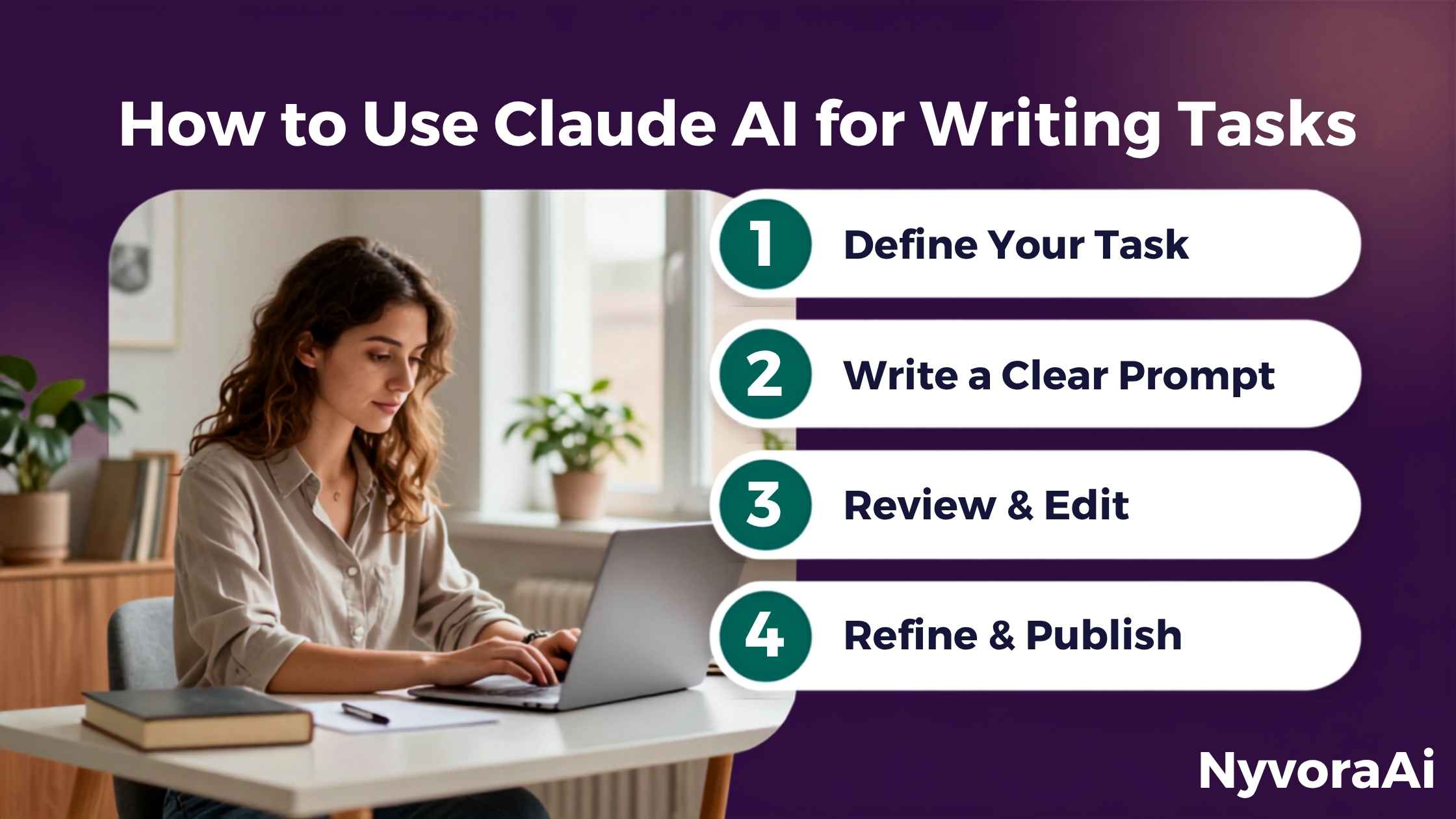
你很可能已经试过 Claude:问个直接的问题,也许被惊艳过;也可能随手打了个含糊的请求,换回一篇不痛不痒的三段式回答,从此觉得它不过如此。后一种情况比想象中普遍——而问题几乎都出在提示词上,不在 Claude 本身。
Claude 和其他 AI 写作工具到底差在哪,参数表很难说清。更像是「语气」:它写出来的东西不像机器人往模板里填词。给足上下文后,成稿往往比多数 AI 工具更接近一个用心的人会写的样子。但它依然需要指引,不会读心术;你把想要的东西说得越明白,结果就越好,每次都如此。
本指南只谈写作任务——邮件、博客、编辑、摘要、创意写作——以及每一类具体怎么拿到能用的结果。不吹概念,不给空泛建议,只讲真正管用的做法。
01简短结论
把 Claude 当成熟练的协作者而不是搜索引擎,写作任务就能完成得不错。也就是说,开头就把上下文给全:你是谁、写给谁、什么语气合适、最终目的是什么。省掉这些,只能得到一篇中规中矩的大路货;写清楚,通常只需轻改就能直接用。
多数写作任务最快的流程是:一句话说清任务,附上相关背景,讲明格式或篇幅,然后让 Claude 起草。不必指望一条提示词就完美无缺——下一条消息随时可以调整,前面说过的它都记得。
02为什么偏偏选 Claude——它的独特之处
AI 写作工具多的是。人们一再回到 Claude,靠的是一种难以量化、但用过几款工具就能察觉的特质:文字更像真人写的,模板味更淡,也很少用凑字数的空话填充。
它对分寸感的处理也很到位。要坚定却不带攻击性、要温暖却不肉麻,它往往真能卡在那个中间点上,而不是倒向某个极端。这让它在难写的客户邮件、敏感的反馈意见这类靠语气撑场的文本里格外实用。
上下文窗口同样值得一提。Claude 一次会话能容纳极大量文字——差不多是一整本书的体量——你可以把长文档贴进去深入讨论,哪怕隔了十条消息,之前给的内容也不会被忘掉。对常处理长文本的人来说,这是实打实的优势。
03Claude 最拿手的写作任务
AI 辅助对不同写作任务并不一视同仁。有些它确实擅长,有些能帮忙但需要更多人工修改。逐条细讲之前,先给一个诚实的总览。
04邮件与职场消息
对多数人来说,Claude 最快见效的地方大概就在这里。那种卡住的感觉谁都懂:一封难写的邮件拖着不动,琢磨措辞就耗掉二十分钟,真坐下来写时,花的时间早就超过事情本身的分量——而这种局面正是 Claude 擅长化解的。
关键在上下文。「帮我给客户写封邮件」只能得到大路货;换成「客户已经两次对我的发票提出异议,我想态度坚定但不对抗,提醒他当初的约定,并给一个明确的截止期限」,出来的东西才真的能发。后一种说法多花半分钟,却省下十分钟磕磕绊绊的起草。
05博客与文章
写博客时 Claude 确实好用,只不过流程比写短文更讲究。多数人犯的错是只丢一句「写篇关于 X 的博客」,别的什么都不给:结果内容没错,却毫无记忆点——同样的文章网上早就有上百篇。
更聪明的做法是先搭结构:让它给一份提纲,明确切入角度、各个小节以及每节要完成的任务。你过一遍,挪动顺序、删掉重复,再让 Claude 一节一节起草。这样整体逻辑始终握在你手里,具体的文字则交给它。
如果写博客是你的日常工作,我们这篇用 AI 更快写出博客文章深入讲了这套流程,包括怎样让整篇文章保持你的语气,又不必花一个小时改稿。
Claude 有个特别适合博客的本事:你开口问,它就能把平淡无奇的角度换成更有意思的方向。试试把话题给它,再问:「多数人没写到、不那么显而易见的角度是什么?」经常能拿到值得展开的点子。
06编辑与重写——Claude 真正出彩的地方
说实话,眼下没有哪款 AI 工具在这件事上比它更强。把自己写好的东西贴进去,指定一个改进点——开头、段落之间的衔接、语气、句式变化——它会动精准的小手术,而不是把整篇推倒重来。有些工具一让「润色」就把你的个人风格改没了,它不会。
诀窍是把要改的地方说具体。「改好一点」等于什么都没说;「第二段在重复,转到第三段又太生硬——在保持整体语气的前提下修好这两处」才给得出明确目标。到这个细致程度,留下的修改往往都是你真的想保留的。
| 修改类型 | 含糊版 | 精准版 | 效果 |
|---|---|---|---|
| 语气 | 「让它读起来顺一点」 | 「再温暖一些,但专业感要保住」 | 效果理想 |
| 字数 | 「收紧一些」 | 「压到 120 词以下,主张不能丢」 | 效果理想 |
| 文风 | 「打磨一下」 | 「被动句式太多——改成主动说法」 | 效果理想 |
| 组织结构 | 「重新排列一下」 | 「开头把要点藏住了——把它放到最前」 | 效果理想 |
| 整篇重做 | 「整篇重新来一遍」 | 「没有方向时,成品可能不像你本人」 | 需要再改 |
提示词的小小改动为何让编辑结果差这么多,根源在于这些模型处理语言的方式。想了解原理,我们这篇给 AI 工具写更好的提示词把这套公式讲得很清楚,编辑指令同样适用。
07长篇内容摘要
这是真正省时间、却被严重低估的用法。长篇报告、研究论文、客户文档、信息密集的文章——Claude 都能按你指定的详略程度准确压缩。你不必只拿到一份浮于表面的要点清单:可以要求摘要保留细微差别、标出反方论点,或者只挑与某个决定相关的部分。
大上下文窗口在这里极其关键。三十页的文档贴进去,之后追问的内容哪怕涉及很早的章节,它也不会跟丢。审合同、会前从长篇简报里提炼重点、把两份文档对照着看差异,都变得可行。
08创意写作
Claude 的创意写作完成得不错,尤其在创作方向本身够明确的时候。与其只丢一个体裁标签,不如你自己当起创意总监:到这个把控程度,短篇小说、人物小传、对话和场景描写回来的初稿才会鲜活。交代清楚人物的口吻、笼罩场景的氛围、这一场必须完成的任务,细节加一个,成品就往上提一档。
短板在于规模化的原创性。让它写个带反转结尾的短篇,成品像模像样;可要它写出真正出人意料、以有趣方式打破惯例的东西,成品往往似曾相识。这不是 Claude 独有的毛病,而是语言模型的共性。创意写作里,最好把它当作帮你打磨想法的协作者,而不是原创灵感的替代品。
09到底怎样给 Claude 写提示词,文章才更好
多数写作任务都能套用一个稳定有效的模式:先给 Claude 一个角色(资深编辑、文案、技术写作者),再说具体任务,补充读者和目的,最后指定需要的格式。不必每条提示词都死板照搬;一旦内化,写起来又快又自然。
下面几条专门用来提升 Claude 的写作产出:
- 贴上几段你自己写的东西,让它照着你的风格来。有具体样本时,Claude 模仿风格的能力很强。
- 除了说要什么,也要说不要什么:「不用要点、不用感叹号、别用 delve 这个词」真的会改变结果。
- 一次要多个版本:「给我三个不同语气的开头句」,你有了可以挑选和反应的对象,往往比盯着一个版本改更快。
- 放心用追问:「把第二段缩短」「结尾太突兀,再试一次」都是很有效的后续消息。
如果 Claude 不只是偶尔帮忙,而是要融入你每天的写作流程,我们这篇用 AI 工具搭建日常工作流值得一看,讲的是怎样围绕 AI 安排一天,又不让它替你思考。
靠 Claude 接更多客户稿件的自由撰稿人,可以看这篇专门的用 AI 做自由撰稿工作,从提案到开票的完整流程都覆盖了。社交媒体内容也遵循同样原则,具体场景请看我们的社媒 AI 使用分步指南。
10值得知道的真实局限
多数指南跳过这一段,因为说出来不够光鲜;但了解 Claude 的短板,比再看一串优点清单更有用。
- 它会一本正经地犯错。默认无法联网,过时或错误的事实会用极其自然的语气讲出来。发布任何事实性内容前,统计数据、日期和论断都要核实。
- 初稿往往过于光滑。未经修改的 Claude 文字有一种圆滑感,容易显得公关腔、没有个性;需要再过一遍,添上毛边、个人色彩和你自己的具体情况。
- 默认情况下它不会反驳你。除非你主动要求,否则它倾向于顺着你的框架走。想听到真正的第二种意见,就直接问:「这份草稿哪里不行?」
- 它不了解你的具体读者。你不说,它只能猜读者在意什么;关于读者的细节给得越具体,产出就越有针对性。
任何发布 AI 辅助内容的人,都该让核实成为固定习惯。我们这篇如何核查 AI 生成内容提供了不拖慢节奏的实用核查步骤,能帮你拦下让自己难堪、误导读者的错误。
11常见问题
Claude AI 最擅长哪些写作任务?
写东西时 Claude 比 ChatGPT 强吗?
Claude 能模仿我个人的写作风格吗?
Claude 的写作任务有字数限制吗?
怎样让 Claude 听起来不那么一本正经?
12结语
Claude 是一款真正出色的写作工具——对看重成稿质量而非单纯速度的人,它大概是我最常推荐的选择。经它帮助产出的文字更像真正的写作,而不是机器生成的内容;这一点的分量,比多数工具对比文章承认的要重。
但它终究是工具,不是通往好文章的捷径。获益最多的人始终自己掌舵:让 Claude 承担起草、修改和搭结构的重活,而判断力、个人风格和事实核查牢牢握在自己手里。先挑一件你真心觉得烦的任务——难写的邮件、拖着没做的摘要、卡住的草稿——从那里开始试。含糊提示词和高质量提示词之间的距离,比听起来小得多;一旦看出差别,其余的很快就能融会贯通。
Odds are you've already given Claude a spin. A direct question may have left you pleasantly surprised; alternatively, a hazy request returned a bland three-paragraph reply, and you walked away underwhelmed. That letdown happens far more often than expected — and the prompt deserves the blame, not Claude itself.
A spec table can't quite capture what separates Claude from rival AI writers. Call it tone: its prose rarely reads like a machine populating a template. Fed solid context, it often writes the way a careful human would — better than most competing tools manage. Direction still matters, though; Claude can't read minds. State your wants clearly and the output improves, every single time.
Only writing jobs are in scope here — emails, posts, edits, summaries, creative pieces — along with precisely how to draw useful results from each category. No buzzwords, no fuzzy advice; just the approaches that genuinely pay off.
01The Short Version
Claude performs well on writing when cast as a capable coworker instead of a search box. Front-load the context: your identity, the intended reader, an appropriate voice, and the final objective. Without those, the reply is merely passable and generic; with them, you often receive something needing just a light touch before use.
For the majority of writing jobs, speed comes from this sequence: describe the task in one sentence, attach any useful background, name the shape or length you want, and let Claude write. Crafting the ideal prompt on attempt one isn't necessary — refinements can come in the next message, since earlier content stays in memory.
02Why Claude in Particular — Its Distinct Edge
AI writing assistants are everywhere these days. Users return to Claude for a quality that resists measurement but becomes obvious after sampling several options: the prose feels genuinely authored. Fewer template traces, fewer empty filler lines inserted just to pad length.
Nuance is another strength. A request for language that's firm without aggression, or warm without sentimentality, usually hits that middle mark rather than sliding to an extreme — a real asset for tense client messages, delicate feedback, and any piece where tone carries much of the load.
The context window deserves mention too. A single Claude session can retain an unusually large volume of text — roughly book-length — so pasting in a long document and discussing it at length works without earlier material slipping away. Anyone handling extended writing gains something concrete from that.
03The Writing Jobs Claude Does Best
AI assistance suits some writing jobs far better than others. A few are genuine strengths; the rest benefit from Claude but need heavier manual revision. Here's a straight assessment before examining each in turn.
04Emails and Professional Messages
This is likely where Claude delivers the fastest payoff for most people. Everyone knows that stall: a difficult message needs writing, twenty minutes slip by while you hunt for the right phrasing, and the actual writing ends up costing more time than the job ever warranted. That is exactly the situation Claude handles smoothly.
Context is the lever. "Write me an email to my client" yields a generic result. Describing a client who has disputed the invoice twice — asking for firmness without confrontation, a reminder of the original deal, and an explicit deadline — yields something genuinely sendable. The extra detail costs half a minute to type and cuts out a good ten minutes of stilted writing.
05Blog Posts and Articles
Claude genuinely helps with blog writing, though workflow matters more here than with short pieces. The common error is requesting "a blog post about X" with nothing else attached: the result is accurate but utterly disposable — the same article already living on roughly a hundred other sites.
The smarter approach builds structure first. Request an outline that fixes the angle, the sections, and the job each section does. Review it, reshuffle parts, drop anything redundant, then have Claude draft section by section. Overall logic stays under your control while the prose itself comes from Claude.
Anyone producing blog posts regularly can go deeper with our guide on using AI to draft blog posts in less time, which walks through this exact workflow, including how to keep your voice intact across a full post without burning an hour editing.
One blog-specific talent deserves note: asked directly, Claude takes a flat, obvious angle and proposes something sharper. Try handing over the topic with, "What's a less obvious angle that most writers miss?" The response frequently gives you something worth developing.
06Editing and Rewriting — Where Claude Truly Stands Out
Frankly, no other AI tool currently beats Claude at this. Paste in existing writing and name one thing to fix — the opening, transitions between sections, the voice, sentence-length variety — and the edits stay surgical instead of flattening the whole piece. Unlike some tools, it doesn't edit your personality out of the work when you ask for improvement.
Naming the change precisely is the trick. "Make this better" provides nothing to act on; "paragraph two restates itself and the shift into paragraph three lands abruptly — repair both while preserving the voice" supplies a real target. That specificity is what consistently leaves you with edits worth keeping.
| Type of Edit | Vague Version | Targeted Version | How It Does |
|---|---|---|---|
| Voice | "Make it read nicer" | "Add warmth but keep it professional" | Good outcome |
| Word count | "Tighten it up" | "Get below 120 words, hold the argument" | Good outcome |
| Writing style | "Polish this" | "Passive constructions abound — make them active" | Good outcome |
| Organization | "Rearrange it" | "The opening hides the point — put it first" | Good outcome |
| Complete redo | "Do the whole thing over" | "Without direction it may not sound like you" | Needs revision |
The reason tiny prompt shifts change editing outcomes so much traces back to how these models handle language. Curious about the mechanics? Our piece on crafting stronger prompts for AI tools lays the formula out plainly, and it carries straight over to editing instructions.
07Summarising Long Content
This ranks among the most underused genuine time-savers. Long reports, research papers, client files, dense articles — Claude condenses them faithfully at whatever depth you request. You aren't limited to a shallow bullet list: ask for a summary that preserves subtleties, notes opposing arguments, or isolates only the sections bearing on a particular decision.
The large context window makes a major difference here. A thirty-page file can go in, and follow-up questions about it stay accurate even when they reach back to early sections. Contract review, extracting the essentials from a long brief before a meeting, and reading two documents against each other all become practical.
08Creative Writing
Claude turns in capable creative work, most of all once the creative direction itself is strong. Playing the creative director yourself beats handing it a genre label alone: with that level of steering, short fiction, character sketches, dialogue, and scene descriptions come back as lively drafts. Set out the character's voice, the mood hanging over the setting, and the job the scene must do; every added detail lifts the result.
Scale is where originality falters. A requested twist-ending story comes back competent; ask for something truly surprising — a convention broken in a compelling way — and the result more often feels familiar. That flaw isn't unique to Claude; it reflects how language models generally operate. Treat Claude as a collaborator developing your ideas, not a substitute for original creative thinking.
09How to Actually Prompt Claude for Stronger Writing
A reliable pattern sits behind most successful writing requests: assign Claude a role (veteran editor, copywriter, technical writer), describe the job itself, provide audience and purpose, and name the format you need. The structure needn't be followed rigidly; once absorbed, it simply feels quick and natural.
A few moves specifically sharpen Claude's writing:
- Paste samples of your own writing and request a voice match. Concrete material lets Claude imitate a style effectively.
- State what to avoid alongside what you want: "skip bullets, skip exclamation marks, never use 'delve'" genuinely shifts the output.
- Request several takes: "three opening sentences, each in a different tone" gives you something to react to, frequently faster than polishing one.
- Follow-up messages cost nothing: "shorten paragraph two" or "the ending lands abruptly — try again" work well as next steps.
If Claude is becoming a standing part of your writing routine rather than an occasional helper, our guide on building a daily workflow around AI tools explains how to organize your day with AI support without surrendering the thinking itself.
Freelance writers taking on more client work with Claude get a dedicated walkthrough in using AI for freelance writing jobs, covering the chain from pitching through invoicing. Social posts follow the same logic — our step-by-step social-media AI guide applies them to that setting.
10Honest Limitations Worth Knowing
Most guides skip this part because it dulls the sales pitch, yet understanding Claude's weak spots serves you better than another strengths list.
- It commits errors with conviction. Live internet access isn't on by default, so outdated or wrong claims arrive wrapped in perfectly natural prose. Statistics, dates, and assertions all deserve verification before publication.
- Early drafts tend toward over-polish. Unedited Claude output carries a slickness that can read corporate or generic; it needs a pass that adds rough edges, personality, and your own specifics.
- It rarely challenges you unprompted. Your framing generally stands unless contradiction is invited. To earn a real second opinion, ask outright: "What about this draft doesn't work?"
- Your particular readers are unknown to it. Without information, Claude merely guesses what they care about; richer detail about them produces better-targeted writing.
Anyone publishing AI-assisted work should make verification a standing habit. Our guide to fact-checking AI-generated content offers quick verification steps that catch embarrassing, reader-misleading errors without dragging out the process.
11Frequently Asked Questions
Which writing jobs suit Claude AI best?
For writing, does Claude outperform ChatGPT?
Can Claude mimic my personal writing style?
Do writing tasks in Claude hit a word ceiling?
How do I make Claude less stiff and formal?
12Conclusion
Claude is a genuinely strong writing tool — likely my first recommendation for anyone prioritizing the quality of the output over raw speed. The work it helps produce reads like actual writing rather than machine-generated content, and that distinction matters more than most comparison pieces admit.
Still, it remains a tool, not a shortcut to excellent writing. Those who gain most keep hold of the wheel: Claude carries the draft, edit, and structure load while their own judgment, voice, and fact-checking stay firmly in charge. Pick one genuinely annoying job — a tough email, a deferred summary, a stalled draft — and start there. The distance from a vague prompt to a strong one is slighter than it sounds, and once the difference clicks, the rest follows quickly.