该不该把 Notion AI 引入你的工作流?Should You Bring Notion AI Into Your Workflow?
Notion 没有大张旗鼓,却已悄悄成为人们最依赖的生产力工具之一,叠加在其上的 AI 层在宣传册里看起来相当诱人。可是,每人每月还要再多花 10 美元,它究竟能不能在真实工作流里挣得一席之地,需要一个比产品页面更坦诚的答案。
Notion has, without much fanfare, turned into one of the productivity apps people rely on most, and the AI layer bolted on top looks compelling in the brochure. At an additional $10 for each person every month, though, whether it genuinely earns room inside a live workflow calls for a straighter answer than the product page supplies.
先说说我是怎么碰到这个话题的。一位同事问我,他们五人小团队要不要开启 Notion AI。他们已经在为 Notion Plus 付费,大部分文档和项目跟进都放在 Notion 里,对 AI 功能也确实好奇。我的第一反应是「大概值得」,但仔细研究之后,答案要具体得多。
那么 Notion AI 该不该进入你的工作流?简而言之:如果 Notion 已经处在你工作的中心,而且你大量写作、大量记笔记都在其中,那就值得。如果你只是轻度使用 Notion,或者已经在为另一款 AI 写作或生产力工具付费,那多半不必。想看更详细版本的人,请继续往下读。
01按用户类型快速给出结论
在展开细节之前,先给出我对各类用户的判断:
02Notion AI 到底能做什么
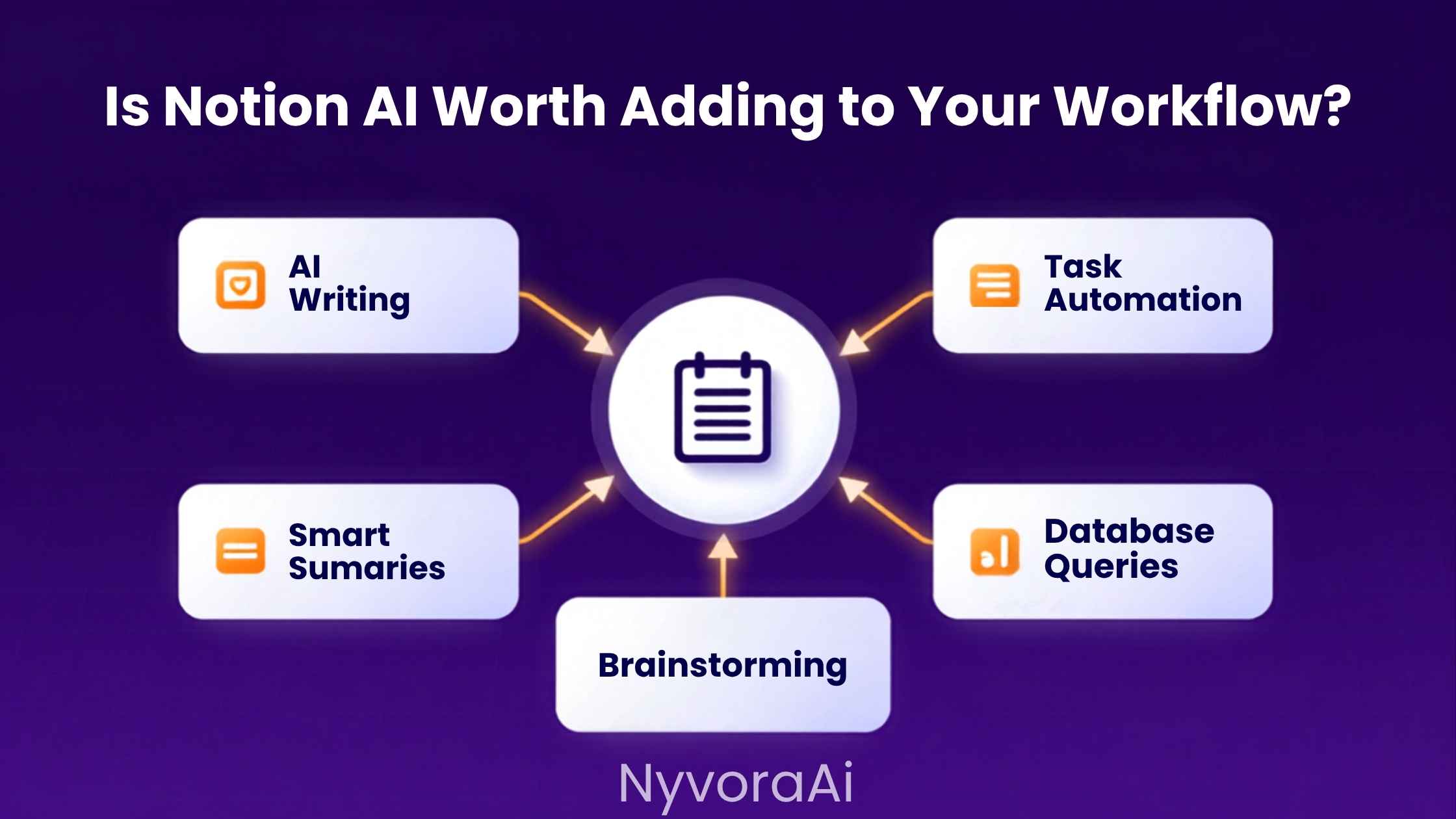
多数新手会低估它功能范围之广。开启 Notion AI,你得到的远不止一个「替我写」按钮。实际涵盖的范围如下:
整体看,这是一套靠谱的功能。单拎出来没有哪一样具有革命性,因为在 Notion 旁边开个 ChatGPT 或 Claude 标签页也能做到。它的价值在于,这一切都不用切换上下文、不会打断你的工作流。
03Notion AI 真正物有所值的地方
实际使用这款产品,会浮现出少数几种情景:它切实改变了你的工作方式——不是边际上的小改善,而是值得为之掏钱的那种。
真正变得有用的会议记录
这或许是最突出的一个用法。如果会议记录本来就进 Notion——无论是直接粘贴,还是从转录工具导入——那么看着 Notion AI 立刻生成摘要、抽出待办事项,和自己硬啃一份 3,000 字的转录稿,是截然不同的体验。一天开好几场会的团队,收益会迅速叠加。说到会议转录,我们关于 Otter AI 是否适合做会议记录的对比详细讨论了这条流程的转录环节,因为有一份干净的转录稿,Notion AI 才能发挥最佳水平。
在混乱的知识库里搜索
大多数 Notion 工作区迟早会遇到归档难题。页面被创建、填满细节,随后慢慢沉下去、被遗忘。能在整个工作区搜索并综合的「Ask AI」功能,在这里确实帮得上忙。你不必依赖自带搜索、苦想正确的关键词,而可以用大白话提问,得到从多个页面汇总而来的答案。在重要决策和流程散落于几十个页面的公司知识库中,我觉得它最有价值。
在已有上下文之内写作
当你起草的页面指向工作区里的其他内容时,Notion AI 能读取并把这些背景编织进来。写一份引用上周会议记录的项目更新,或在早先策略文档之上续写一份文件,都能直接受益。这种感知能力省掉了「独立 AI + 笔记」搭配时不得不反复复制粘贴的循环。每次只省一点点摩擦,但累积一整天,总量意外地可观。
04它令人失望之处,坦白说
围绕 Notion AI 的营销说辞对这部分只字不提,所以我们把短板明说。
写作质量这点值得多说一句。当你的内容要交给客户、公开发表,或代表组织对外发声时,Notion AI 的产出通常比专门写作工具的同类输出需要更重的修改。这不是说它差,只是为写作而生的工具在质量上有着可感知的优势。如果你正在权衡那类选项,我们关于 Copy.ai 是什么、与 Jasper 有何不同的对比讨论了专门工具这一侧。
05互动环节:Notion AI 适合你吗?
勾选每一条如实描述你当前工作流的陈述,结果会随你的勾选实时变化。
06Notion AI 与独立工具的对比
对多数人的决定来说,这才是真正关键的比较。下面看看 Notion AI 与在另一个标签页运行专门 AI 工具相比如何:
| 能力 | Notion AI | ChatGPT / Claude(独立) |
|---|---|---|
| 访问你的 Notion 工作区 | ✅ 完整上下文访问 | ❌ 需要你手动粘贴内容 |
| 写作质量 | ⚠️ 不错,但不是同类最佳 | ✅ 复杂内容更强 |
| 实时网络搜索 | ❌ 不支持 | ✅ 多数付费档可用 |
| 会议记录摘要 | ✅ 在 Notion 内无缝完成 | ⚠️ 能用,但需要复制粘贴 |
| 工作流集成 | ✅ Notion 原生 | ❌ 另开标签页,手动切换 |
| 图像生成 | ❌ | ✅ ChatGPT Plus 可用 |
| 费用 | 在 Notion 之上 +$10/席/月 | 独立约 $20/月 |
| 最适合 | 想要嵌入式 AI 的重度 Notion 用户 | 需要最强能力的高阶用户 |
这里有个更宏观的趋势值得点出。2026 年的 AI 工具版图里挤满了「嵌入式 AI」——织进你已有生产力软件里的人工智能——与专门的独立产品并存,Notion AI 便是一例。Canva 的 AI 功能是另一例;如果你好奇这种嵌入式模式在设计场景里如何运作,我们关于 Canva AI 对设计新手是否值得的评测从另一个角度问了同样的问题。若想聚焦图像 AI,我们关于 2026 年 Midjourney 订阅是否值得的文章把那个对比讲得很透彻。
总的原则是:嵌入式 AI 胜在降低摩擦、提供上下文;独立 AI 胜在原始能力和灵活性。对具体某个人哪个更合适,取决于这两者在他真实的日常工作里哪个分量更重。
07价格详解,以及这笔钱真正买到了什么
以下是 2026 年 Notion AI 的定价情况。在任何现有 Notion 方案上,它作为附加组件,按年付费约为每成员每月 10 美元,按月付费则接近每席 16 美元。Business 及以上方案也已将其打包在内。
个人用户或两三人的小团队,如果经常使用这些功能,会觉得价格还算合理。到了十人或更多,算式迅速改变:12 席 × 10 美元,光是 AI 附加组件一年就要 1,440 美元,还没算底层的 Notion 账单。这种规模下,值得诚实地核查一下:究竟有多少成员会持续使用 AI,才能撑得起每席的成本。
价格讨论里常被忽略的一点是:你买的不只是写作辅助。那个能理解你工作区的上下文层,也是你付费的一部分,而免费的 ChatGPT 标签页无法复刻它。如果团队拥有深厚的 Notion 知识库,而且真的会每天使用「搜索工作区」功能,价值天平就会明显偏向 Notion AI。
作为参照,其他嵌入式 AI 工具也会引出类似的价值问题。我们关于 2026 年最佳免费 AI 视频工具的文章呈现了一个免费选项事实上已相当接近付费产品的品类。生产力 AI 也开始显现同样的迹象,这让「在承诺每席订阅之前先试用」变得越发重要。我们关于 最佳 AI 转录工具的盘点,则覆盖了一条紧密相关的工作流——嵌入式与独立工具之间的取舍在其中以相似方式起作用。
08常见问题
Notion AI 值不值得加入你的工作流?
Notion AI 实际能做什么?
Notion AI 要多少钱?
论写作,Notion AI 比 ChatGPT 更强吗?
Notion AI 能取代专门的写作工具吗?
Notion AI 能离线使用吗?
哪些人应该放弃 Notion AI?
坦率的结论是:对合适的人,Notion AI 是一款真正有用的工具。如果你的工作本来就放在 Notion,它减少的摩擦是真实的,那种上下文感知也确实无法靠在标签页之间粘贴来复制。轻度或偶尔使用的人,以及已经被某份独立订阅充分满足的人,面对的是一道算不过来的账。把上面的自评走一遍,判断 Notion 在你的日常中究竟有多核心,再依据现实而非功能清单做决定。整个选择其实就归结于此。
I'll begin with what actually led me to the subject. A teammate wanted to know whether switching on Notion AI made sense for their group of five. Notion Plus was already on their bill, the bulk of their documents and project tracking already lived in Notion, and the AI capabilities held real interest for them. My first reaction was likely yes; on closer inspection, though, the answer turned out to be rather more precise.
So should Notion AI enter your workflow? In brief: yes, when Notion already sits at the centre of your working day and much of your writing and note-keeping happens inside it. Most likely not when you use Notion lightly, or when a separate AI writing or productivity subscription already has your money. Anyone needing more than the brief version should read on.
01A Fast Verdict for Each Kind of User
Before the detail, here is my conclusion for the various user profiles:
02What Notion AI Is Actually Capable Of
Most newcomers underestimate how wide the feature range runs. Activating Notion AI gives you far more than a single button that writes on command. Here is the real scope:
Taken together, it's a credible set of tools. Nothing here is groundbreaking by itself, since a ChatGPT or Claude tab open beside Notion can accomplish the same tasks. What makes it valuable is that none of it interrupts your flow with a context switch.
03Where Notion AI Genuinely Repays Its Price
Working with the actual product surfaces a handful of scenarios in which it alters your work in earnest — not at the margins, but enough to be worth paying for.
Meeting notes that finally become usable
This may be the one standout application. If meeting notes already go into Notion, whether pasted directly or imported from a transcription service, watching Notion AI summarise them instantly and extract action items is a wholly different experience from ploughing through a 3,000-word transcript by hand. Teams meeting several times a day feel the gains compound quickly. On the subject of transcription, our comparison of Otter AI's suitability for meeting notes treats that side of the process at length, since a clean transcript is where Notion AI does its best work.
Searching through a disordered knowledge base
Archive trouble eventually affects most Notion workspaces. Pages are born, filled with detail, and then slowly sink out of sight and out of mind. The Ask AI capability, which searches and synthesises across the workspace, offers real help here. Rather than relying on native search and praying you recall the correct keyword, you can ask in plain language and receive a synthesised answer assembled from several pages. Company knowledge bases, with crucial decisions and processes spread over dozens of pages, are where I've found it most valuable.
Writing from inside an existing context
Notion AI can read and weave in surrounding material when the page you're drafting points to other workspace content. A project update referencing last week's meeting notes, or a document building on an earlier strategy page, benefits directly. That awareness removes the copy-paste loop forced on you when a standalone AI runs alongside your notes. Each instance saves only a little friction, yet across a full day the total is surprisingly substantial.
04Where It Disappoints, in All Candour
The marketing story around Notion AI passes over this completely, so let's state the shortcomings plainly.
The writing-quality point merits a closer look. When your content reaches clients, appears in public, or speaks for your organisation to outsiders, what Notion AI produces usually demands a heavier edit than comparable output from a writing-focused tool. That's not a verdict that it's poor; tools engineered expressly for writing simply hold a perceptible quality edge. Our comparison of Copy.ai and Jasper and how they differ addresses the dedicated-tool side if those are the options on your mind.
05Interactive: Is Notion AI Right for You?
Mark each statement that honestly describes your present workflow. Your answer changes as you tick boxes.
06Notion AI Against Standalone Products
For most decisions, this is the comparison that truly counts. Here is how Notion AI measures up to running a dedicated AI tool in another tab:
| Feature compared | Notion AI side | ChatGPT / Claude alone |
|---|---|---|
| Reach into the Notion workspace | ✅ Sees the whole context | ❌ Content pasted by hand |
| Calibre of writing | ⚠️ Solid, not leading the field | ✅ Better with complex material |
| Live searching on the web | ❌ Unsupported | ✅ Offered in most paid plans |
| Recaps of meeting notes | ✅ Smooth without leaving Notion | ⚠️ Functional, yet paste is required |
| How it fits the workflow | ✅ Built natively into Notion | ❌ Another tab, switched manually |
| Producing images | ❌ | ✅ Offered through ChatGPT Plus |
| Price | +$10 each seat monthly beyond Notion | Roughly $20 monthly on its own |
| Suited to | Deep Notion users seeking embedded help | Advanced users after top capability |
A wider trend deserves naming here. The AI tool landscape of 2026 is crowded with embedded AI — artificial intelligence woven into productivity software you already own — sitting next to dedicated standalone products, and Notion AI is one such case. Canva's AI capabilities offer another; if the way that embedded model works in a design setting interests you, our review of Canva AI's value for design beginners asks the same question elsewhere. For a narrower focus on image AI, our article on Midjourney and whether its subscription is worth it in 2026 makes that comparison properly.
The broad rule runs like this: embedded AI wins at cutting friction and supplying context, while standalone AI wins on raw power and flexibility. Which side suits a given person hinges on which of those carries more weight in their actual daily work.
07Pricing in Detail and What the Money Truly Buys
Here is Notion AI pricing as it stands in 2026. On any existing Notion plan it works as an add-on of about $10 per member monthly on annual billing, or close to $16 per seat under monthly billing. The Business plan and higher also include it bundled.
Solo workers and teams of two or three can find that reasonable when the features get regular use. At ten members or beyond, the arithmetic shifts rapidly: $10 across 12 seats comes to $1,440 yearly for the AI add-on alone, before the underlying Notion bill. At that size, an honest audit of how many members will consistently use the AI is warranted before the per-seat cost can be defended.
One factor often missed in pricing talk is that writing assistance alone isn't what you're funding. The contextual layer that comprehends your workspace is part of the purchase, and a free ChatGPT tab cannot reproduce it. A team with a deep Notion knowledge base that would genuinely search the workspace daily changes the value equation markedly in Notion AI's favour.
By way of comparison, other embedded AI tools raise similar value questions. Our look at the leading free AI video tools for 2026 presents a category where free options have, in fact, pulled close to paid ones. Productivity AI shows early signs of the same pattern, which makes trialling before a per-seat commitment all the more important. Our rundown of the top AI transcription tools covers a closely linked workflow where embedded-versus-standalone choices weigh in similarly.
08Common Questions
Does Notion AI deserve a place in your workflow?
What does Notion AI actually handle?
What does Notion AI cost?
For writing, is Notion AI superior to ChatGPT?
Can a dedicated writing tool be replaced by Notion AI?
Is Notion AI usable offline?
Who ought to pass on Notion AI?
The candid conclusion: for the right person, Notion AI is a genuinely useful product. When your work already lives in Notion, the friction it removes is real and the contextual awareness genuinely cannot be recreated by pasting between tabs. Light or occasional users, and anyone already well served by a standalone subscription, face an equation that simply doesn't balance. Work through the self-evaluation above, judge how central Notion truly is to your day, and decide from that reality rather than the feature list. The whole choice really comes down to that.