最简单的 AI 写作工具,一次讲清The Easiest AI Writing Tool, Explained
如果你迄今为止打开的每一份写作 AI 榜单,读起来都像是写给已经熟练使用五款工具的人看的,别灰心:远不止你一个人如此,而且今天想就一封邮件获得真正的帮助,这些背景一样都不需要。我们跳过术语和那些没人要的功能比拼,直接回答真正的问题:从这一刻起,让 AI 帮你把字写到纸上,最简单的路子是什么?
If every roundup of top writing AIs you've opened so far feels aimed at somebody already fluent in five of them, take heart: you're far from alone, and none of that background is needed to get genuine help with an email today. We skip the jargon and the feature nobody asked about and go straight to the real question: what is the simplest route to getting an AI to help you put words on a page, starting this minute?
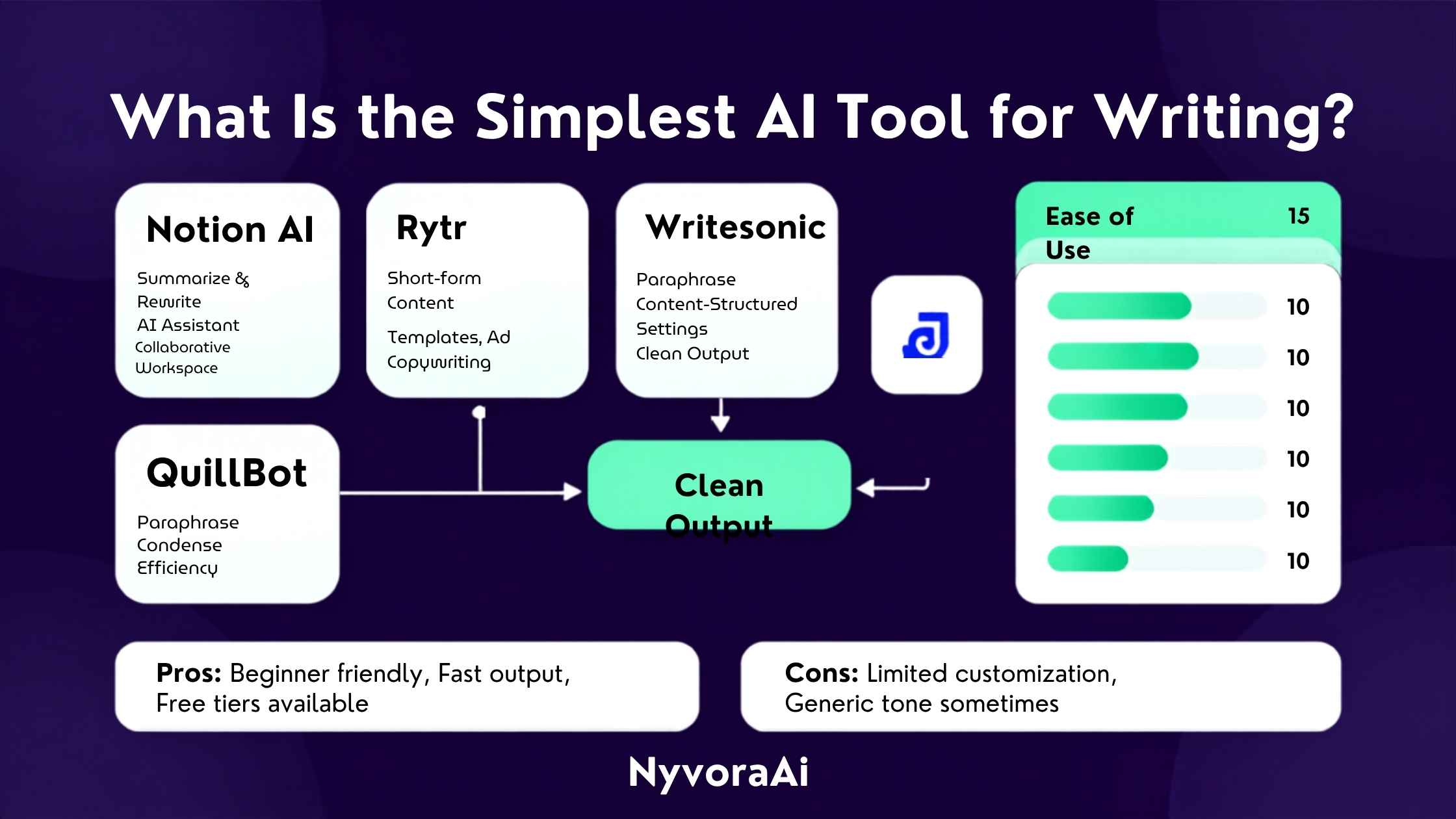
不知从什么时候起,AI 写作工具落下了“难搞”的名声——塞满设置、模板,还有一整套“写提示词”的词汇,仿佛你得先把这些都掌握了才能得到有用的东西。这名声多半是那些为营销人员和重度用户打造的产品留下的。真正帮一位朋友熬过一封难写的邮件或第一封求职信的工具,几乎肯定要朴素得多:一个文本框、一句用大白话说出的请求,几秒后得到回答。
这份指南就是写给所有想要那个朴素版本的人——这是能找到的最直接的上手路径,不预设你已经懂这些术语。如果你想从零开始理解背后的概念,我们配套的《什么是生成式 AI(大白话版)》和本文搭配阅读正合适。
01一句话回答
对几乎所有从零起步的人来说,最直接的 AI 写作工具就是 ChatGPT、Claude 这样的免费对话式助手。打开它,用日常的话说清需求——比如“帮我起草一封简短客气的邮件,请房东修一下滴水的水龙头”——几秒后一份能用的初稿就回来了。不用从模板里挑选,唯一的准备就是做个基础注册,第一次尝试也不需要任何特殊技巧,就能得到真正有用的东西。
02为何在起跑线上“简单”胜过“强大”
大多数关于顶级 AI 工具的报道都是写给已经熟练的人看的,比较的是对新手毫无意义的高级功能。如果你从未打开过 AI 写作工具,功能最繁杂的那个几乎绝不会是正确的第一选择;真正重要的,是那款最快从你面前让开、不来碍事的工具。
朴素的工具尊重一个事实:你暂时还说不出自己不知道什么。它请你用自己的话描述问题,而不是从一串你还看不懂的选项里挑选。等你用了几周朴素工具、真正明白自己想从 AI 那里得到什么之后,再去研究更高级的选择才是时候,而不是更早。
03究竟是什么让一款 AI 工具足够朴素
一个聊天框,而不是仪表盘
开始不花钱
听得懂日常说法
融入你本来就在用的地方
请注意,这几条标准没有一条关乎原始能力。一款真正朴素的工具照样可以非常强大;简单在于它如何把自己呈现在你面前,而不在于你用顺手之后它能做到的上限。
04最朴素的选项并排对比
| 工具 | 所需准备 | 开始成本 | 适合人群 |
|---|---|---|---|
| ChatGPT(免费版) | 注册后即可开始打字 | 免费 | 一般的日常写作帮助 |
| Claude(免费版) | 注册后即可开始打字 | 免费 | 篇幅更长、更需要斟酌的写作 |
| Gemini(免费版) | 用 Google 账号登录 | 免费 | 本来就在用 Google 各类应用的人 |
| Grammarly(免费版) | 添加到你的浏览器或文档应用中 | 免费 | 修改和润色你已经写好的文字 |
| 手机内置助手 | 大多数现代手机上已经自带 | 免费 | 出门在外时的快速短信和短消息 |
如果拿不准该先试哪一个,就选 ChatGPT、Claude 这类通用对话式助手;它准备最少,却能覆盖最广的日常写作需求。当真正的问题是打磨你已有的文字、而不是从零创作时,Grammarly 那种更朴素、以纠错为主的方式可能更适合你。我们更完整的2026 年完全免费的 AI 工具盘点列出了更多选择,方便你在定下来之前再做比较。
05五分钟动手试一试
- 1
选定一款工具,打开它的网站或应用
1 别为选择纠结;任何一款免费的对话式工具都足以胜任第一次尝试。
- 2
注册一个免费账号
2 通常只要一个邮箱地址,有时用你已有的账号快速登录一下就行。
- 3
用日常的话说清你具体需要什么
3 “帮我写一张简短的便条,谢谢某位同事”就是一个完整又完全合格的请求。
- 4
读一下它给出的回复
4 几秒后一份能用的初稿就回来了;读一遍,留意它离你本意已经有多近。
- 5
再用大白话请它调整
5 “写短一点”或“语气再暖一点”都很好使;这是在对话,不是在填表。
如果你希望这套流程再多一点引导、多几个例子,我们的《30 分钟上手 AI》指南覆盖了同样的内容,并且对真正的第一次使用者多一些手把手的帮扶。
06朴素 AI 工具能帮你写的日常文字
- 给房东、邻居或同事的一封简短客气邮件
- 说明自己会迟到的留言,同时不显生硬或过于正式
- 生日或感谢卡上的祝福语,尤其当页面一片空白盯着你时
- 用你真正能跟上的大白话,把一个令人困惑的话题简单解释一遍
- 求职信或简短个人简介的第一版,供你之后再个性化加工
这些没有一项需要特殊功能或高级设置;它们恰恰是朴素对话式工具第一次尝试就能处理好的日常写作。同样的“说大白话”习惯也能顺顺当当地迁移到其他日常 AI 用途上,等写作让你感到自在之后值得一探;我们关于借助 AI 更快掌握一项新技能的指南就是自然的下一步。
07关于儿童与朴素 AI 工具的一句话提醒
正因为免费、朴素的 AI 写作工具唾手可得,它们往往也是孩子与 AI 的第一次接触——有时为了作业,有时纯粹出于好奇。简单在这里确实有帮助,但简单并不等于自动适合年幼用户。如果你身边有孩子在用这类产品,与其只因为它容易上手就认定没问题,不如先读一读我们专门的儿童能否安全使用 AI 工具指南。
08新手用第一款 AI 工具时常犯的错
- 一上来就挑功能最密集的工具。拥挤的仪表盘只会吓人,对你第一次真正使用 AI 毫无帮助。
- 以为必须写出完美无缺的提示词。普通的日常说法就够用,之后随时可以请它调整。
- 原封不动地发送或发布第一份草稿。即便第一句回复很不错,用自己的口吻快速过一遍也有好处。
- 还没试免费版就先订了付费套餐。每一款主流 AI 写作工具都有真正可用的免费档,从那里开始。
- 一次回复不顺手就放弃。只要换种方式请它再试一次,几乎总能挽救一次没帮上忙的初次尝试。
如果想要一份更完整的清单,看看新手在各类 AI 工具(不只是写作)上最容易踩的坑,我们关于新手用 AI 常犯的错误的指南对这个话题讲得更深入。
09等你用顺手之后可以尝试什么
没有压力逼你摆脱朴素的对话式工具;不少人就一直靠它处理所有写作,用多久都行。一旦它开始让你感到自然,有几个小小的下一步值得一试:请它就同一条消息给出几个版本做比较、一开始就多交代一些你具体处境的背景,或者为你常做的某类任务(比如编辑或检索)试用一款稍微专门一点的工具。这些都不意味着放弃简单;它们不过是对你已经在用的“说大白话”方式做的小小延伸。
10常见问题
最简单的 AI 写作工具是哪一款?
用 AI 写作需要学会提示工程吗?
有没有完全免费的 AI 写作工具?
对从没用过 AI 的人来说,哪款工具最温和?
朴素的 AI 写作工具能在我手机上用吗?
11收尾
那么最简单的 AI 写作工具究竟是哪一款?就是那一款:允许你键入一句平实、普通的话说清需求,又不必先学任何东西,就能交还给你真正有用的内容。对几乎所有从零起步的人来说,那就是免费的对话式助手:没有模板、没有仪表盘、没有特殊词汇。
从小处着手:选一款工具,描述今天你确实需要帮忙写的一样东西,看看会回来什么。开始的方式没有对错,也没有规则要求你先懂得更多才能获得真正的价值。等你用顺之后,进一步探索很容易——不过那从来不是开始的必要条件。
Somewhere along the line, AI writing tools acquired a name for being fiddly — dense with settings, templates, and an entire vocabulary of prompting you were expected to master before anything useful emerged. That reputation largely survives from products built for marketers and power users. The tool that genuinely helped a friend through a difficult email or a first cover letter was almost certainly something far more ordinary: one text box, a request stated in plain words, and an answer seconds later.
This guide is written for anyone who wants that plain version, the most straightforward possible on-ramp, with no assumption that you already understand the terminology. If you'd like the underlying concept built up from scratch, our companion plain-English introduction to generative AI sits well beside this one.
01The Short Answer
For nearly anyone beginning from a standing start, the most straightforward AI writing tool is a free chat-style assistant such as ChatGPT or Claude. You open it, say what you need in ordinary words, perhaps help me draft a short, courteous email asking my landlord to repair a dripping tap, and a workable draft comes back within seconds. Nothing needs selecting from a template, the only setup is a basic registration, and no special skill is required to produce something genuinely helpful on your very first attempt.
02Why Simple Beats Powerful at the Starting Line
Most coverage of the top AI tools is aimed at people already fluent in them, weighing advanced capabilities that say little to a first-time user. If you have never opened an AI writing tool before, the most feature-laden option is almost never the correct first choice; what matters is the tool that moves out of your way soonest.
A plain tool honours the fact that you cannot yet name what you don't know. It invites you to describe the problem in your own words rather than choose from a list of options you don't yet grasp. After a few weeks of using a plain tool, once you genuinely understand what you want from AI, the moment is right to examine more advanced choices, not earlier.
03What Genuinely Makes an AI Tool Plain
A Chat Box Rather Than a Dashboard
No Charge to Begin
Grasps Everyday Speech
Fits Into Where You Already Work
Note that none of these tests concerns raw capability. A genuinely plain tool can still be highly able; the simplicity lives in how it presents itself to you, not in the ceiling on what it does once you're at ease.
04The Plainest Options Side by Side
| Tool | Setup required | Starting cost | Suited to |
|---|---|---|---|
| ChatGPT (free) | Register and begin typing | Free | Everyday writing help in general |
| Claude (free) | Register and begin typing | Free | Lengthier, more considered writing |
| Gemini (free) | Sign in through a Google account | Free | People already working inside Google's apps |
| Grammarly (free) | Add it to your browser or document app | Free | Correcting and polishing writing you already have |
| Built-in phone assistants | Present on most modern phones already | Free | Snappy texts and short messages while out |
If you're unsure which deserves the first try, choose a general chat-style assistant such as ChatGPT or Claude; with minimal setup it spans the broadest spread of everyday writing needs. When the real problem is refining writing you already hold rather than building from nothing, Grammarly's plainer correction-led approach may suit you more. Our fuller roundup of fully free AI tools in 2026 lists further choices if you'd like to compare before settling.
05Give It a Go in Five Minutes
- 1
Settle on a tool and open its site or app
1 Don't agonise over the choice; any free chat-style option serves a first attempt perfectly well.
- 2
Register a free account
2 Often just an email address, occasionally a quick sign-in through an account you already hold.
- 3
State precisely what you need in everyday words
3 Help me write a brief note thanking a colleague is a complete and perfectly good request.
- 4
Read the reply it returns
4 A workable draft returns in seconds; read it and note how near it already sits to what you intended.
- 5
Ask, again in plain words, for adjustments
5 Make it shorter or warm it up a little both work well; this is a conversation, not a form to complete.
Should you want a somewhat more guided version of this same walkthrough with a few extra examples, our 30-minute AI starter guide covers the same ground with a little more hand-holding for a genuine first-timer.
06Everyday Writing a Plain AI Tool Can Handle
- A brief, courteous email to a landlord, neighbour, or colleague
- A note saying you will run late, without reading stiff or excessively formal
- A birthday or thank-you message when the page is staring back blank
- A straightforward explanation of a confusing topic, in language you can genuinely follow
- A first pass at a cover letter or short bio for you to personalise afterwards
None of these calls for special features or advanced settings; they are precisely the everyday writing a plain chat-style tool handles well on the very first attempt. The same everyday-language habit transfers neatly to other routine AI uses, worth a look once writing feels comfortable; our guide on using AI to pick up a new skill more quickly is a natural next step.
07A Word About Children and Plain AI Tools
Because free, plain AI writing tools are so readily available, they frequently give a child a first encounter with AI, sometimes for homework and sometimes purely from curiosity. Simplicity genuinely helps here, yet it is not the same as being automatically suitable for young users. If a child you know is using one of these products, it's worth reading our dedicated guide on whether children can use AI tools safely rather than assuming an app is fine simply because it is easy.
08Slips Newcomers Make With Their First AI Tool
- Beginning with the most feature-dense tool on offer. A crowded dashboard intimidates and adds nothing to your first genuine use of AI.
- Believing a flawless prompt is required. Ordinary, everyday language works; adjustments can always be requested afterwards.
- Sending or publishing the opening draft untouched. Even a strong first reply gains from a quick read in your own voice.
- Taking a subscription before sampling the free version. Every major AI writing tool offers a genuinely usable free tier; start there.
- Abandoning ship after one clumsy reply. Simply asking it to try again differently almost always rescues an unhelpful first attempt.
For a fuller catalogue of the traps newcomers hit most often across every kind of AI tool, not only writing, our guide on common beginner mistakes with AI digs further into the topic.
09What to Try Once You're at Ease
There's no pressure to outgrow a plain chat-style tool; plenty of people rely on exactly that, indefinitely, for all their writing. Once it begins to feel natural, a few modest next steps are worth trying: requesting several versions of one message to compare, supplying more upfront context about your particular situation, or sampling a slightly more specialised tool for a task you repeat often, such as editing or research. None of this means surrendering simplicity; these are merely small extensions of the everyday-language approach you already use.
10Frequently Asked Questions
Which AI writing tool is the simplest?
Do I need prompt engineering to write with AI?
Is there an AI writing tool that's fully free?
What's the gentlest tool for somebody who has never used AI?
Can a plain AI writing tool run on my phone?
11Wrapping Up
So which is the simplest AI writing tool? It is whichever one lets you type a plain, ordinary sentence describing your need and returns a genuinely helpful reply before you've had to study anything. For nearly everyone starting from zero, that means a free chat-style assistant: no templates, no dashboards, no special vocabulary.
Begin modestly: choose one tool, describe one real piece of writing you need help with today, and see what returns. No wrong way to start exists, and no rule demands more understanding than that to gain real value. Further exploration comes easily once you're comfortable, though it was never a prerequisite for beginning.