dugujun3-cloud/dshos-dock
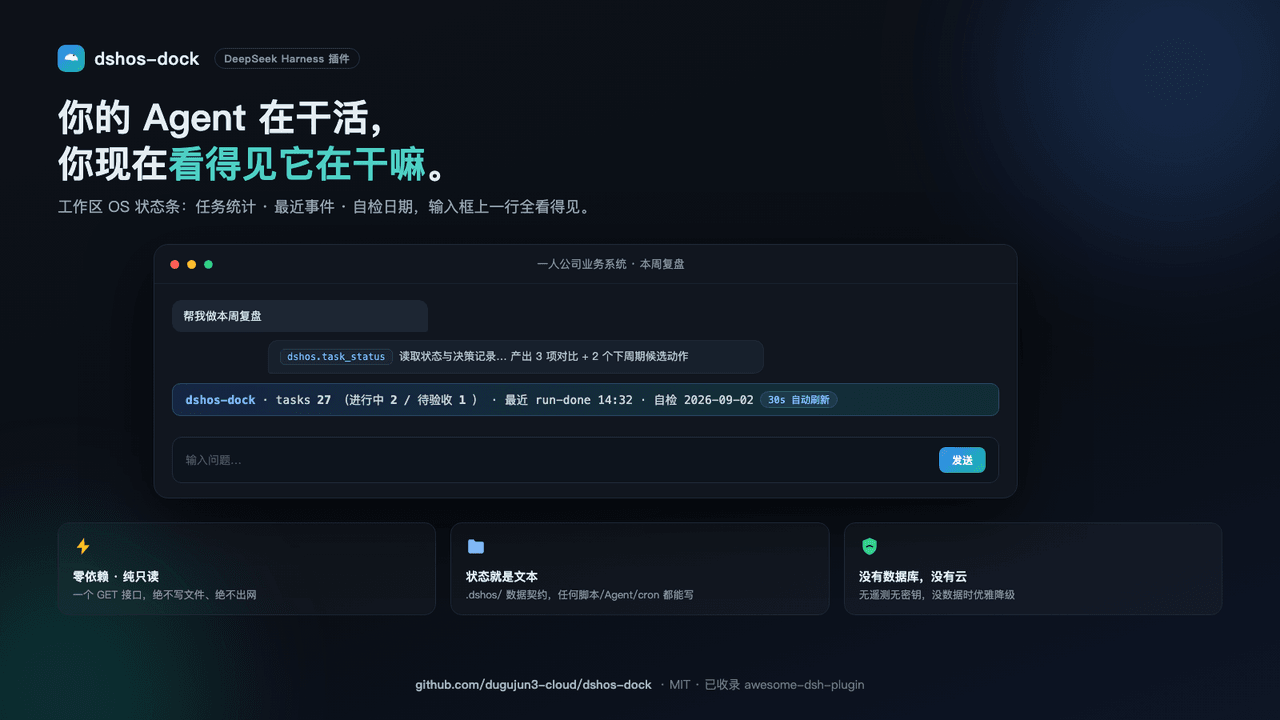
Workspace-OS status bar for DeepSeek Harness (DSH): task counts, latest run event, checkup date. Zero deps, read-only, .dshos/ data contract.
Project Overview项目介绍
This is a status bar plugin for DeepSeek Harness Web GUI. It displays persistent workspace status including task counts, latest events and checkup date above the conversation input, pulling data from local files with no cloud dependency. Use it to track your agent workspace status; it requires a contract-compliant local data directory for full information.
这是DeepSeek Harness网页端的工作区状态栏插件,在对话输入框上方常驻显示任务统计、运行状态、最近事件和自检日期,数据来自工作区本地文件,无云端依赖。需要随时掌握代理工作区运行状态时使用,需先按约定创建本地数据目录才能显示完整信息。
请帮我了解并安装插件:【dshos-dock】【https://github.com/dugujun3-cloud/dshos-dock】Send this message to DSH in your current session. CLI install commands may not be accurate across systems — DSH will figure it out for you.把上面这条消息直接发给当前会话里的 DSH,让它帮你了解并安装。安装命令不一定准确,发给 DSH 更稳。
Or use CLI install (for developers)或使用命令行安装(适合开发者)
CLI Install命令行安装
dsh plugin --profile web add github:dugujun3-cloud/dshos-dock把 dugujun3-cloud/dshos-dock 加入你的 DSH 配置(web profile)即可启用。
READMEREADME
dshos-dock
A Workspace-OS status bar for the DeepSeek Harness (DSH) Web GUI.
A slim, always-visible line above the conversation input that tells you what your agent workspace is doing:
dshos-dock · tasks 12 (running 2 / awaiting 1) · last run-done 14:32 · checkup 2026-09-04
The data comes from a tiny, user-owned text contract in your workspace (.dshos/) — no database, no cloud, no telemetry. The plugin is read-only and has zero runtime dependencies.
Features
- Status bar above the input — task counts (total / running / awaiting), the latest run event with time, and the date of the most recent checklist/audit note.
- Live refresh — polls the local endpoint every 30 s, no page reload needed.
- Contract-first data — your workspace
.dshos/folder decides everything (see Data contract). Write it from any script, any agent, any cron job. - Graceful degradation — no
.dshos/yet? The bar shows a friendly "not initialized" hint instead of breaking the UI. - Legacy layout support — auto-detects a
操作系统/+状态/DSH-OS layout for backwards compatibility with existing workspace governance trees. - Configurable root — point it at any directory via a one-line cordis patch config.
- Read-only + zero deps — the host registers a single GET endpoint; it never writes, never posts, never calls out.
How it looks
┌─────────────────────────────────────────────────────────────────────┐
│  dshos-dock · tasks 12 (running 2 / awaiting 1) · last run-done 14:32 · checkup 2026-09-04  │
╰─────────────────────────────────────────────────────────────────────╯
                    [ input box below — as usual ]

Install
Requires a DeepSeek Harness web profile (npm-managed ~/.dsh/profiles/web).
Option A — via dsh plugin (recommended, auto-applies the bundle patch)
dsh plugin --profile web add github:dugujun3-cloud/dshos-dock
Option B — manual (pnpm)
pnpm --dir ~/.dsh/profiles/web add <repo-or-package>
Then register the plugin in your profile's cordis.patch.yml (after the bundle layer):
# dshos-dock:workspace-OS 状态条(任务/事件/自检)
- insert:
    - id: dshos-dock
      name: dshos-dock
      # optional: custom data root (workspace root OR a .dshos dir).
      # The dock auto-detects <root>/.dshos/ (contract) or the legacy
      # 操作系统/ + 状态/ DSH-OS layout inside it.
      # config:
      #   root: /absolute/path/to/workspace
Restart DSH web, and the status bar appears above the input.
Data contract
Create .dshos/ in your workspace root:
.dshos/
├── status.json          # optional kernel state
├── tasks/               # one JSON file per task
│   └── my-task.json
├── events.jsonl         # one JSON line per event
└── checklists/          # markdown audit notes (the newest is shown)
status.json
{ "status": "active", "current_stage": "stage-3" }
tasks/my-task.json
{
  "project": "My Project",
  "status": "in_progress",          // in_progress | awaiting_acceptance | done | ...
  "current_stage": "build",
  "updated_at": "2026-09-04T08:00:00Z"
}
events.jsonl (one line per event, last 6 are shown)
{"ts": "2026-09-04T14:32:00.000Z", "event": "run-done", "task_id": "my-task"}
checklists/ — any markdown files; the lexicographically latest name is the "checkup" date.
API
GET /dshos/status returns (example):
{
  "at": "2026-09-04T15:00:00.000Z",
  "kernel": "dshos-dock",
  "ready": true,
  "source": ".dshos",
  "os": { "status": "active", "current_stage": "stage-3" },
  "tasks": { "total": 3, "running": 1, "awaiting": 1, "list": [ /* up to 8 */ ] },
  "events": [ { "ts": "...", "event": "run-done", "task": "my-task" } ],
  "latestChecklist": "2026-09-04.md",
  "listErr": null
}
Why this exists
Agent frameworks make it easy to run long work but hard to see it. This plugin is the tiny tail of a bigger idea: give your workspace an operating system — a stable set of files that records status, tasks, events, and audits, and a 12-pixel bar that always answers "what is my agent doing right now?".
You can drive .dshos/ from any agent, any script, any schedule. Add a status row, a task board, a review dashboard, a self-check panel — the contract is yours.
Background compatibility
If your workspace already uses the DSH-OS layout (操作系统/ + 状态/ folders with workflow_status.json and runtime/runs_log.jsonl), the dock auto-detects it and works without any migration.
Development
node test-host.mjs # 20 assertions, zero deps
License
MIT © dugujun3-cloud
中文简介
dshos-dock 是一个 DeepSeek Harness(DSH)Web 插件:在对话输入框上方常驻一条状态条,显示工作区任务统计(总数/进行中/待验收)、最近一次运行事件和最新自检日期。
- 数据由工作区内
.dshos/目录的文本约定驱动——无数据库、无云端、无遥测。 - 只读 + 零运行时依赖:宿主侧只注册一个
GET /dshos/status端点,30 秒轮询刷新。 - 没有
.dshos/时优雅降级(显示"未初始化"提示),兼容操作系统/+状态/旧布局(自动探测)。 - 支持 cordis 配置
config.root指定任意数据根目录。
安装(在系统终端执行):
dsh plugin --profile web add github:dugujun3-cloud/dshos-dock
# 或手动:pnpm --dir ~/.dsh/profiles/web add github:dugujun3-cloud/dshos-dock
然后在 ~/.dsh/profiles/web/cordis.patch.yml 追加:
- insert:
    - id: dshos-dock
      name: dshos-dock
重启 DSH 后状态条即出现在输入框上方。数据契约见上方英文文档(.dshos/ 布局)。
License
MIT
Related相关推荐
-
 spacexun2/dsh-worktime-board
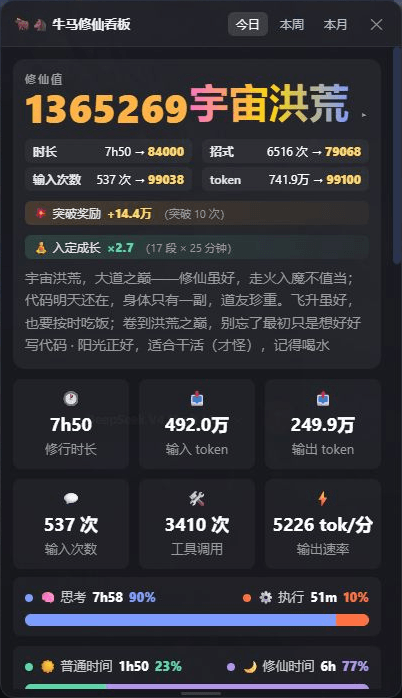
🐂🐴 牛马修仙看板:DeepSeek Harness 工时统计 × 修仙养成——把每一分钟劳动,都修成境界(日/周/月 + 学年年历,炼气→宇宙洪荒)
spacexun2/dsh-worktime-board
🐂🐴 牛马修仙看板:DeepSeek Harness 工时统计 × 修仙养成——把每一分钟劳动,都修成境界(日/周/月 + 学年年历,炼气→宇宙洪荒)
- busabase/busabase-dsh-plugin
-
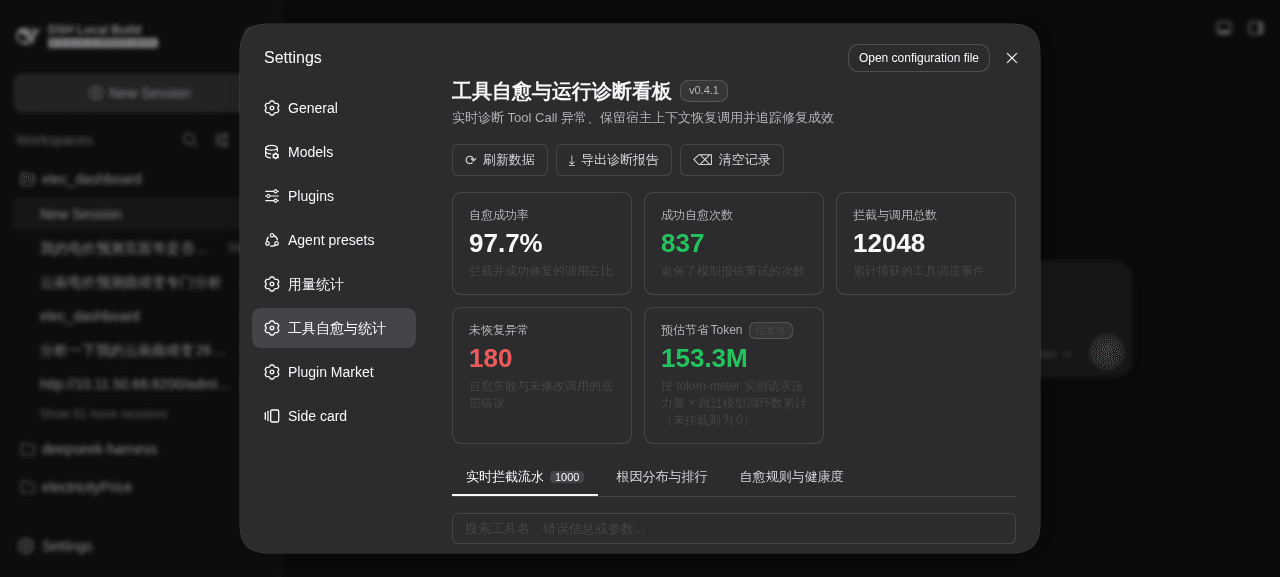 merenguesL/dsh-tool-normalizer
-
 WYH66666666/DSH-Transparent-UI-Plugin
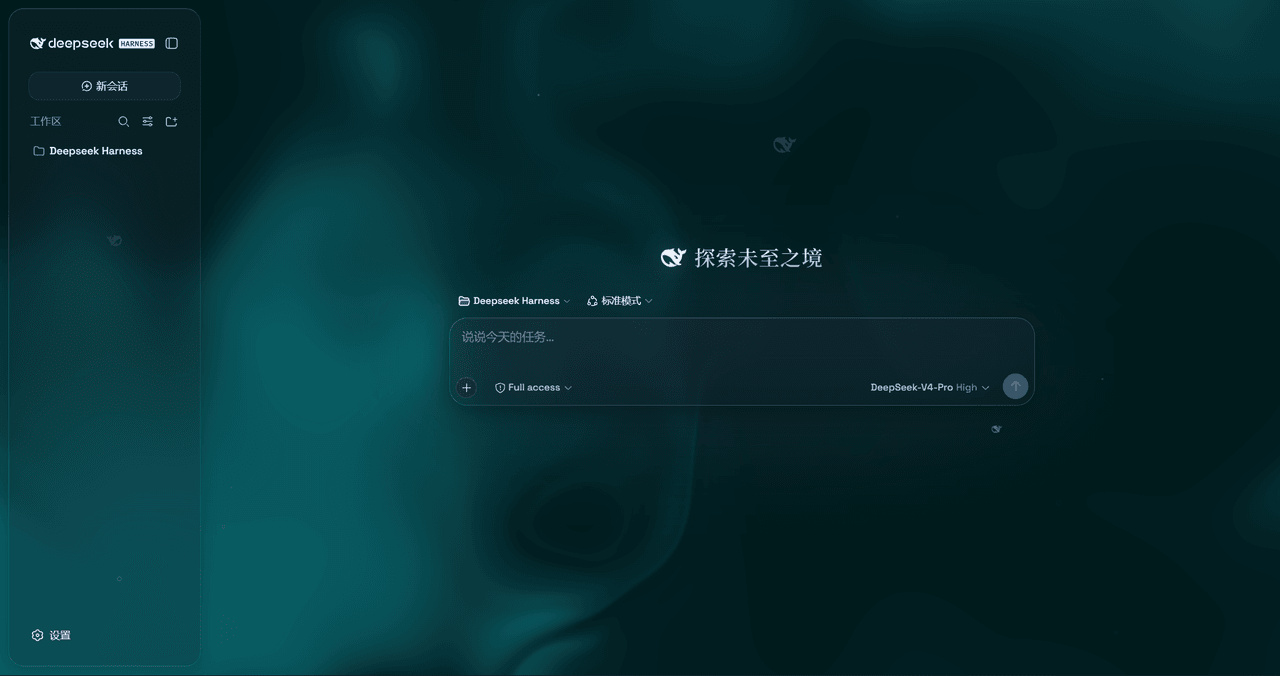
是一层高自由度的玻璃质感主题,套在 DeepSeek Harness 网页端。顶栏、侧边栏、输入框、统计行、轨迹视图都成了磨砂玻璃片。玻璃模糊度、磨砂度、背景(流体或自定义壁纸,壁纸还能单独调模糊和磨砂)全都能在设置卡片里自由调节。关掉开关…
WYH66666666/DSH-Transparent-UI-Plugin
是一层高自由度的玻璃质感主题,套在 DeepSeek Harness 网页端。顶栏、侧边栏、输入框、统计行、轨迹视图都成了磨砂玻璃片。玻璃模糊度、磨砂度、背景(流体或自定义壁纸,壁纸还能单独调模糊和磨砂)全都能在设置卡片里自由调节。关掉开关…
-
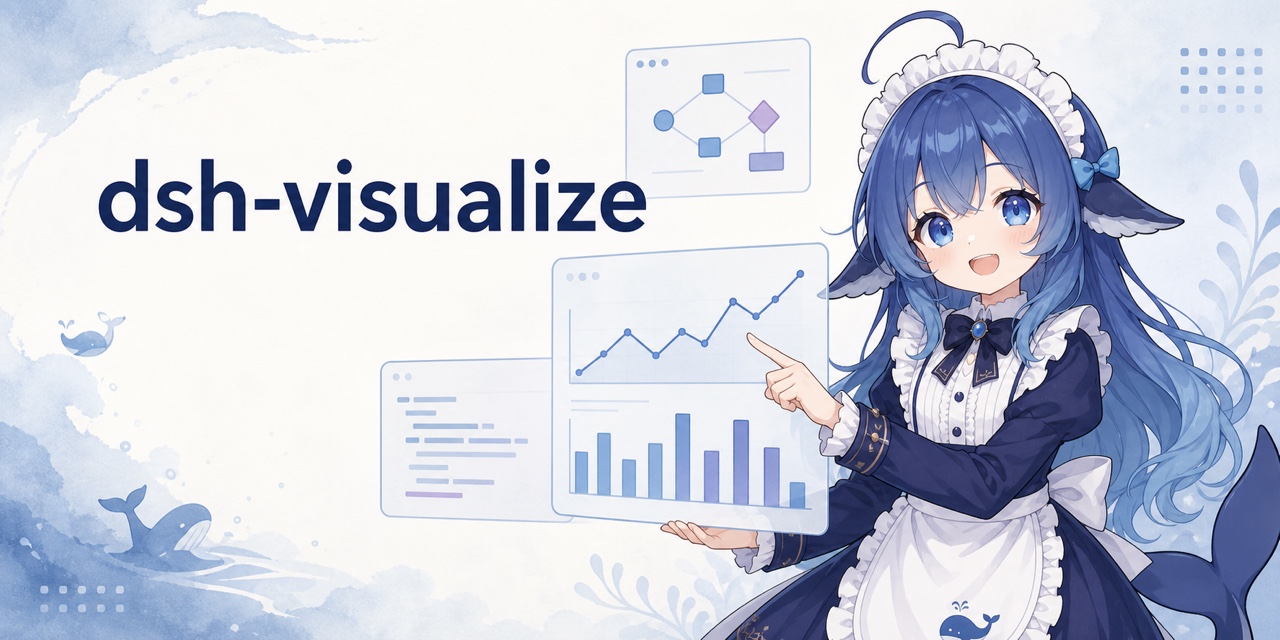 Nagi-ovo/dsh-visualize
在 DSH 对话中生成交互式可视化|Render model-generated interactive cards inside DSH conversations
Nagi-ovo/dsh-visualize
在 DSH 对话中生成交互式可视化|Render model-generated interactive cards inside DSH conversations
-
 omdsh-dev/dsh-data-agent
Connect DSH to your database for conversational data analysis and actionable business insights.
omdsh-dev/dsh-data-agent
Connect DSH to your database for conversational data analysis and actionable business insights.
-
 morluto/jacobian
Composable mathematics tools for agents
morluto/jacobian
Composable mathematics tools for agents
-
 Awu12277/dsh-stock-watch
A股自选股实时行情盯盘插件 - DeepSeek Harness Web 右上角可折叠弹窗
Awu12277/dsh-stock-watch
A股自选股实时行情盯盘插件 - DeepSeek Harness Web 右上角可折叠弹窗