Hotsteel2901/dsh-client-ui-mobile-adapt
您的DeepSeek Harness网页UI,专为手中的手机重新打造。为在Android上使用Termux编程的开发者设计:单列布局、侧边栏抽屉、单行编辑器、全屏可滚动设置与轨迹详情、点击打开会话统计。桌面版保持不变。
Project Overview项目介绍
This is a native client plugin built exclusively for DeepSeek Harness, designed to adapt DSH’s original desktop web UI for mobile screen sizes. It targets developers who use DSH in the Termux environment on Android devices, collapsing DSH’s default three-column desktop layout into a mobile-friendly single-column layout that fits small phone screens. The original desktop layout remains completely unchanged, while mobile-specific adjustments like a swipe-out sidebar and scrollable full-screen panels are added for easier touch navigation.
The plugin only activates when the viewport width is under 768px, and it follows DSH’s official client plugin packaging format, so it can be added directly to any existing DSH profile. The easiest installation method is to create a dedicated webmobile profile that includes this plugin as a dependency, then install dependencies with npm and launch DSH with the --profile webmobile flag. Alternatively, you can manually add the plugin entry to your existing DSH profile’s cordis.patch.yml file and restart DSH to apply the changes.
This plugin has strict version constraints, and it currently only targets the 0.1.0-rc.6 build of DSH’s front-end, with peer dependencies explicitly locked to this exact version instead of a flexible version range. It relies on React, the DeepSeek Cordis framework, and DSH client runtime services provided by the host DSH instance. The project is released under the permissive MIT open-source license, so you can modify and redistribute it freely, but you will need to update CSS class names if DSH’s front-end build changes in future updates.
这是一个专为 DeepSeek Harness 打造的原生客户端插件,核心功能是为 DSH 的网页界面提供移动端适配,主要面向在 Android 设备的 Termux 环境下使用 DSH 编码开发的用户。它将 DSH 默认的三栏桌面布局重新调整为适配手机窄屏幕的单栏布局,同时完整保留桌面端原有布局不受任何影响,侧边栏改为可滑动抽屉,各类弹窗和设置面板都做了滚动适配。
它仅在视口宽度小于 768px 时生效,通过 DSH 官方的客户端插件格式开发,同时支持作为配置包(profile bundle)一键挂载到现有 DSH 实例。用户可以选择创建专用的 webmobile 配置文件来启动带完整适配的 DSH,也可以把这个插件手动添加到自己已有的配置文件中,两种安装方式都很简单灵活,适配效果符合移动端操作习惯。
该插件依赖 React、DeepSeek 的 Cordis 框架和 DSH 客户端运行时服务,对 DSH 版本有严格约束,目前仅适配 0.1.0-rc.6 版本的前端构建产物,精确锁定了对等依赖版本。它采用 MIT 许可开源,允许免费修改和重新分发,如果后续 DSH 前端版本更新,需要重新核对 CSS 类名才能继续正常使用。
请帮我安装这个 DSH 插件。安装前先完成【兼容性检查 + 安全性检查】,检查通过再动手。

插件:dsh-client-ui-mobile-adapt(Hotsteel2901/dsh-client-ui-mobile-adapt)
仓库:https://github.com/Hotsteel2901/dsh-client-ui-mobile-adapt
本站详情页:https://www.yhbd.top/plugins/hotsteel2901-dsh-client-ui-mobile-adapt/
本站登记:类型 client · 归类 原生 DSH 插件 · 许可证 MIT · ⭐ 11 · 最近提交 2026-10-02 · 主语言 JavaScript

按下面顺序执行,每步先把结论告诉我,再进入下一步:

【1 兼容性检查】
① 我这边:DSH 版本、Node 版本、操作系统、当前 profile(web / desktop)。
② 读它的 README、package.json、插件 manifest,列出它要求的 DSH 版本 / Node 版本 / 操作系统 / 外部依赖 / 需要另外先装的运行时。
③ 逐条比对,结论只写「满足 / 不满足 / 未知」三种;不满足的给出可行替代方案。
④ 检查是否和我已装的插件冲突:命令名重复、skill / tool 重名、端口占用、重复注册的 MCP server。

【2 安全性检查】
① 仓库可信度:和上面「本站登记」是否一致;star / fork 数、创建时间、最近提交,是否归档或长期停更。
② 安装脚本:逐行看 package.json 的 preinstall / install / postinstall,以及 install.sh、setup.ps1 之类脚本。出现 curl|bash、下载后直接执行、混淆代码、访问与插件功能无关的域名,立刻停下来告诉我,不要继续装。
③ 依赖:列出新增依赖,标出无人维护、或与知名包拼写近似的可疑包(typosquatting)。
④ 权限与副作用:它会读写哪些目录、访问哪些域名、需要哪些 DSH 权限(filesystem / network / shell / clipboard 等),以及怎么卸载和回滚。
⑤ 如果它要求 sudo / 管理员权限,或权限明显超出功能所需,先停下来问我。

【3 安装】
上面两步没有「不满足」和「高危项」时才执行;用官方推荐方式安装,不要自行提权。

【4 汇报】
用表格输出:检查项 / 结论 / 依据 / 是否需要我决策。拿不准的一律写「未知」并说明要我怎么确认——不要猜,也不要替我决定。
Send this message to DSH in your current session: it verifies compatibility and security first (answering met / not met / unknown item by item) and only installs once everything checks out — it will stop and ask you if it finds a high-risk item. The box scrolls; the copy is the full prompt. CLI install commands may not be accurate across systems, so DSH is the safer route.把上面这条消息直接发给当前会话里的 DSH:它会先核对兼容性与安全性(逐条给「满足 / 不满足 / 未知」),确认没问题再安装,有高危项会停下来问你。框内可滚动,复制到的是完整提示词;安装命令不一定准确,发给 DSH 更稳。
- 11 stars - an early-stage project星标 11,属于早期项目
DSH walks through these 9 checksDSH 会逐条核对这 9 项
Compatibility兼容性
- DSH, Node, OS and profile requirementsDSH 版本 / Node 版本 / 操作系统 / profile 是否满足要求
- External dependencies and runtimes (Electron / Python / Docker, ...)外部依赖与运行时(Electron / Python / Docker 等)是否齐备
- Conflicts with installed plugins: command names, skill / tool names, ports, duplicate MCP registration与已装插件是否冲突:命令名、skill / tool 重名、端口占用、重复 MCP 注册
Security安全性
- Repo matches the facts registered here; archived or abandoned?仓库是否与页面登记一致,是否归档或长期停更
- Safety of preinstall / install / postinstall and install.sh / setup.ps1preinstall / install / postinstall 与 install.sh、setup.ps1 是否安全
- curl|bash, download-then-execute, obfuscation, unrelated domains → stop immediatelycurl|bash、下载即执行、混淆代码、无关域名 → 立刻停止
- Typosquatting or unmaintained packages among the new dependencies新增依赖里有没有 typosquatting 或无人维护的包
- Requested permissions vs. what the feature actually needs申请了哪些权限、是否超出功能所需(filesystem / network / shell / clipboard)
- Any sudo / admin requirement, plus uninstall and rollback是否要求 sudo / 管理员权限,以及卸载与回滚方式
Anything uncertain must be marked unknown with a note on how to confirm it. This site's signal screen is a static snapshot, not a security audit.拿不准的必须标「未知」并说明要我怎么确认。本站的信号筛查是静态快照,不能替代安全审计。
Or use CLI install (for developers)或使用命令行安装(适合开发者)
CLI Install命令行安装
dsh plugin --profile web add github:Hotsteel2901/dsh-client-ui-mobile-adapt把 Hotsteel2901/dsh-client-ui-mobile-adapt 加入你的 DSH 配置(web profile)即可启用。
READMEREADME
dsh-client-ui-mobile-adapt
Your DeepSeek Harness web UI, rebuilt for the phone in your hand.
Built for developers who code in Termux on Android: the three-column desktop shell collapses into a clean single-column mobile layout — sidebar becomes a swipe drawer, composer tools stay on one line, settings and trajectory details open as full-screen panels that actually scroll, and a tap on the stats pill reveals the whole session report. Desktop stays exactly as it is; your phone finally works.
为在手机上用 Termux 敲代码的你,把 DeepSeek Harness 的 Web 界面真正搬上手机屏。
专为 Android 上的 Termux 开发者打造:三栏桌面布局收敛为清爽的单栏移动布局—— 侧边栏变成滑出抽屉、输入工具保持一行、设置与轨迹详情以可滚动的全屏面板呈现、 点一下统计胶囊就能看到完整会话报告。桌面端分毫不动,手机端终于能用了。
DeepSeek Harness Web GUI 的手机端适配客户端插件。
纯客户端插件:仅在 max-width: 767px 视口下生效,其余宽度完全不受影响。
(767 而非 768:上游 dsh-client-ui-layout 的 SIDEBAR_AUTO_COLLAPSE = 1024,
768–1023px 归上游的 56px 图标窄栏管,768px 起保留侧栏导航更合理。)
采用官方客户端插件格式(dsh.client 声明 + window.__ModuleLoader__.load 模块),
同时可作为 profile bundle(dsh.bundle.patch)一键挂载。
功能
| 区域 | 效果 |
|---|---|
| 整体布局 | 三栏 Grid 覆盖为 0 minmax(0,1fr) 0,中栏占满全宽 |
| 侧边栏 | 左侧抽屉(left 位移动画),内容组件填满抽屉宽度 |
| 汉堡按钮 | shell.overlay 槽位浮动按钮(左上角,安全区适配,44×44 触摸目标),点遮罩关闭 |
| 会话头部 | 给汉堡留位、标题/操作可换行、「对话/轨迹」标签以屏幕中线为对称轴居中 |
| 输入工具行 | 强制单行(权限选择/计划/附加/模型选择/上下文/发送),触发器限宽 112px |
| 弹层 | 模型选择、上下文详情、命令菜单限宽 calc(100vw - 16px) 不出屏 |
| 设置面板 | 全屏显示,顶部导航单行可横滑,内容区可滚动,自带 × 关闭 |
| 插件面板 | fixed 悬浮、底部 130px(不遮触发按钮),可开可关 |
| 轨迹页面 | 表格全宽;详情面板改固定高度悬浮窗(min(52vh,460px)),内部可滚动 |
| 底部统计 | 胶囊摘要(轮/步/缓存/Token),点击展开完整统计面板(可滚动,× 关闭) |
| 触摸目标 | 全部可交互控件 ≥ 44×44(WCAG 2.5.5 / Material 48dp),含字号 stepper、表单、图标按钮 |
| iOS | 100dvh 动态视口、刘海/底部安全区适配 |
触摸目标修复(issue #2 根因)
上游沿用桌面尺寸,多个控件低于 44px 的最小可点区域。手机端指尖落点约 30–40 CSS px, 用户点不中,体验上就表现为「划不动 / 点不动」,这即是 issue #2《无法滑动导致无法保存配置》 的真实机制。
最严重的是字号调节 stepper:.bVCLcG_arrows 是一个 absolute 列容器,
内含两个 17×12px 上下堆叠的箭头,中心仅相距 14px —— 想调大却触发调小,
反复失败后配置就改不成。本插件在窄屏把它重排为 static 行,
两个 44×44 热区并排互不重叠。
其余一并抬到 44px 的下限:
| 元素 | 修复前 | 修复后 |
|---|---|---|
bVCLcG_arrow(字号加减) |
17×12,互相重叠 | 44×44,并排 |
VOzbGW_close(关闭设置) |
28×28 | 44×44 |
zGbnIq_iconButton(删模型等) |
28×28 | 44×44 |
rtSEdW_iconButton(preset 操作) |
28×28 | 44×44 |
zGbnIq_addModelButton |
97×28 | 44px 高 |
VOzbGW_navCell(设置导航) |
40px 高 | 44px 高 |
| 各类下拉/输入 | 32–36px | 44px |
dsh-mobile-hamburger |
40×40 | 44×44 |
dsh-stats-pill / dsh-stats-close |
28px | 44px |
Showing the opening section of the README — the full document lives in the repository以上为 README 开头摘要,完整文档在仓库内 · View the full README on GitHub →在 GitHub 查看完整 README →
Related相关推荐
-
 reactive-resume/reactive-resume
A one-of-a-kind resume builder that keeps your privacy in mind. Completely secure, customizable, portable, open-source a…
reactive-resume/reactive-resume
A one-of-a-kind resume builder that keeps your privacy in mind. Completely secure, customizable, portable, open-source a…
-
 anywhere-labs/dsh-desktop
为 DeepSeek Harness (DSH) 插件生态打造的现代化桌面端解决方案。万物皆「插件」,桌面本身也是「插件」。
anywhere-labs/dsh-desktop
为 DeepSeek Harness (DSH) 插件生态打造的现代化桌面端解决方案。万物皆「插件」,桌面本身也是「插件」。
-
 dataelement/dsh-desktop
DSHDesktop:DeepSeek Harness Desktop / DeepSeek Harness 桌面版
dataelement/dsh-desktop
DSHDesktop:DeepSeek Harness Desktop / DeepSeek Harness 桌面版
-
 ccch1mneyyy/dsh-TUI
DSH's officially top-recommended TUI plugin — high performance, low overhead, cute pixel whale, smooth mouse interaction…
ccch1mneyyy/dsh-TUI
DSH's officially top-recommended TUI plugin — high performance, low overhead, cute pixel whale, smooth mouse interaction…
- dsh-tauri/deepseek-harness-desktop DeepSeek Harness Tauri 桌面版 | Only 5mb installer, zero environment setup, preset plugins, Windows / macOS / Linux.
-
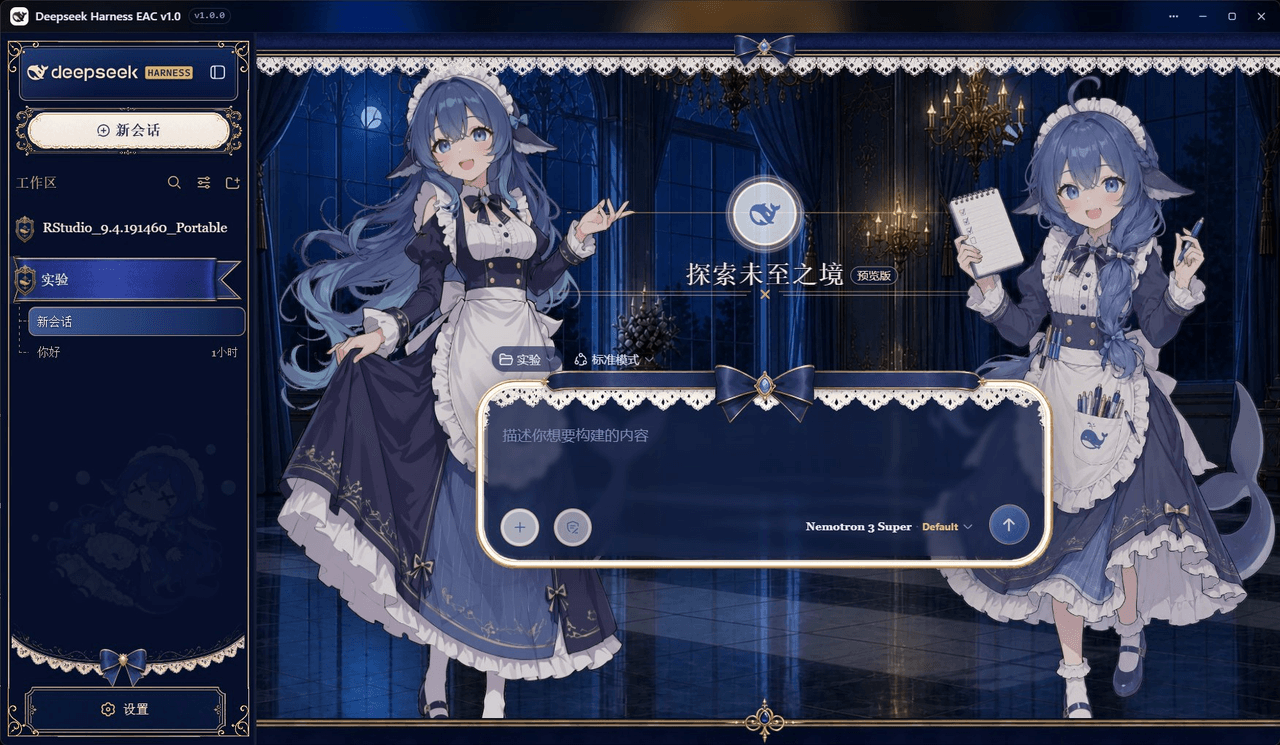 DSH-EAC/DSH-Desktop-EAC
Embracing All Creation — A plugin suite for harmonious coexistence of hundreds of plugins / 揽尽万象 —— 致力于让数百个插件和谐共存的插件整合包
DSH-EAC/DSH-Desktop-EAC
Embracing All Creation — A plugin suite for harmonious coexistence of hundreds of plugins / 揽尽万象 —— 致力于让数百个插件和谐共存的插件整合包
-
 shaobeichen/dsh-pocket
把 DeepSeek Harness 装进你的口袋:电脑上跑 dsh web,手机扫码即同步访问(局域网 + 公网,实时同屏)Put DeepSeek Harness in your pocket: run dsh web on your …
shaobeichen/dsh-pocket
把 DeepSeek Harness 装进你的口袋:电脑上跑 dsh web,手机扫码即同步访问(局域网 + 公网,实时同屏)Put DeepSeek Harness in your pocket: run dsh web on your …
-
 xyTom/coding-tools-mcp
Give any AI agent the ability to code
xyTom/coding-tools-mcp
Give any AI agent the ability to code