kikomaotu/ccs-balance
DSH 插件:同步 cc-switch 各 provider 余额,按日/月/总量统计 token 用量与花费(支持中转站币种与汇率设置)
Project Overview项目介绍
DSH plugin ccs-balance syncs balances from cc-switch providers and tracks token usage and spending across DSH sessions. It offers three pages: a balance page with per-provider currency and a configurable USD→CNY rate, a usage page with daily/monthly/total token and cost statistics plus a stacked bar chart, and a sessions page with search, sort, and scrolling lists. The three pages are fixed at 500px with internal scrolling. Data may be missing or zero when cc-switch logs or pricing tables are unavailable, so verify provider configuration.
DSH 插件 ccs-balance 同步 cc-switch 各 provider 的余额,并统计 DSH 会话的 token 用量与花费。提供余额、用量、会话三页:余额页按 provider 独立币种展示并支持自定义 USD→CNY 汇率;用量页按日/月/总量统计各类 token 及花费,附堆叠柱状图;会话页支持搜索排序滚动查看。当 provider 余额查询失败或用量无 cc-switch 流水时,数据可能为 0 或不准确,需检查 provider 配置。
请帮我了解并安装插件:【ccs-balance】【https://github.com/kikomaotu/ccs-balance】Send this message to DSH in your current session. CLI install commands may not be accurate across systems — DSH will figure it out for you.把上面这条消息直接发给当前会话里的 DSH,让它帮你了解并安装。安装命令不一定准确,发给 DSH 更稳。
Or use CLI install (for developers)或使用命令行安装(适合开发者)
CLI Install命令行安装
dsh plugin add ccs-balance把 kikomaotu/ccs-balance 加入你的 DSH 配置(web profile)即可启用。
READMEREADME
ccs-balance
DSH 插件:同步 cc-switch 各 provider 的余额,并统计 DSH 会话的 token 用量与花费。
功能
- 余额页:拉取 cc-switch 中每个 provider 的余额(支持 newapi / general / DeepSeek / OpenAI / Moonshot / SiliconFlow),支持每个 provider 独立币种(¥ / $)与全局 USD→CNY 汇率。
- 用量页:按日 / 按月 / 总量统计输入、输出、缓存读、缓存写 token 与花费;按日视图支持近 7 天 / 近 30 天 / 全部;堆叠柱状图 + 模型构成。
- 会话页:按会话统计 token 用量与花费,支持搜索、排序;加载全部会话并直接滚动查看,不再展开单条详情。
- 面板尺寸:余额 / 用量 / 会话三个页面高度均固定为 500px,内容超出时在面板内滚动。
安装
dsh plugin add ccs-balance
或手动加到 profile 依赖:
{ "dependencies": { "ccs-balance": "^1.0.0" } }
并在 dsh.profile.bundles 里加入 "ccs-balance"。
数据来源
- 余额:cc-switch 数据库中的 provider 配置,通过各中转站 API 查询。
- 用量与花费:cc-switch 的
usage_daily_rollups与proxy_request_logs(中转站实际扣费),缺失时回退按model_pricing估算。 - 会话列表:DSH session store。
使用说明
- 安装并启用插件后,侧边栏底部会出现「CCS 余额」入口。
- 余额页底部有使用说明(点 ⚙ 展开)。
- 花费默认显示为元(¥)。如果你的中转站是真实美元计费,把余额页的 USD→CNY 汇率改成相应值(如 7.2);USD 当元的中转站保持 1。
配置
- 插件设置保存在插件目录
settings.json。 - 每个 provider 的币种(¥/$)在余额页 provider 名旁下拉框设置。
开发
node --check lib/index.js
node --check lib/client.js
python -m py_compile lib/ccs_host_helper.py
License
MIT
FAQ
- 余额显示为 0 或负数?说明该中转站余额查询失败或已透支,检查 provider 配置和 API key。
- 花费显示为 0?可能该会话没有 cc-switch 流水记录,或模型未命中定价表。
- 汇率改了没反应?切到其他标签页会自动重新计算。
Related相关推荐
-
 Ychris12138/dsh-usage-stats
Provider balances, subscription quotas, and token-usage analytics for the DeepSeek Harness Web GUI (dsh web).
Ychris12138/dsh-usage-stats
Provider balances, subscription quotas, and token-usage analytics for the DeepSeek Harness Web GUI (dsh web).
-
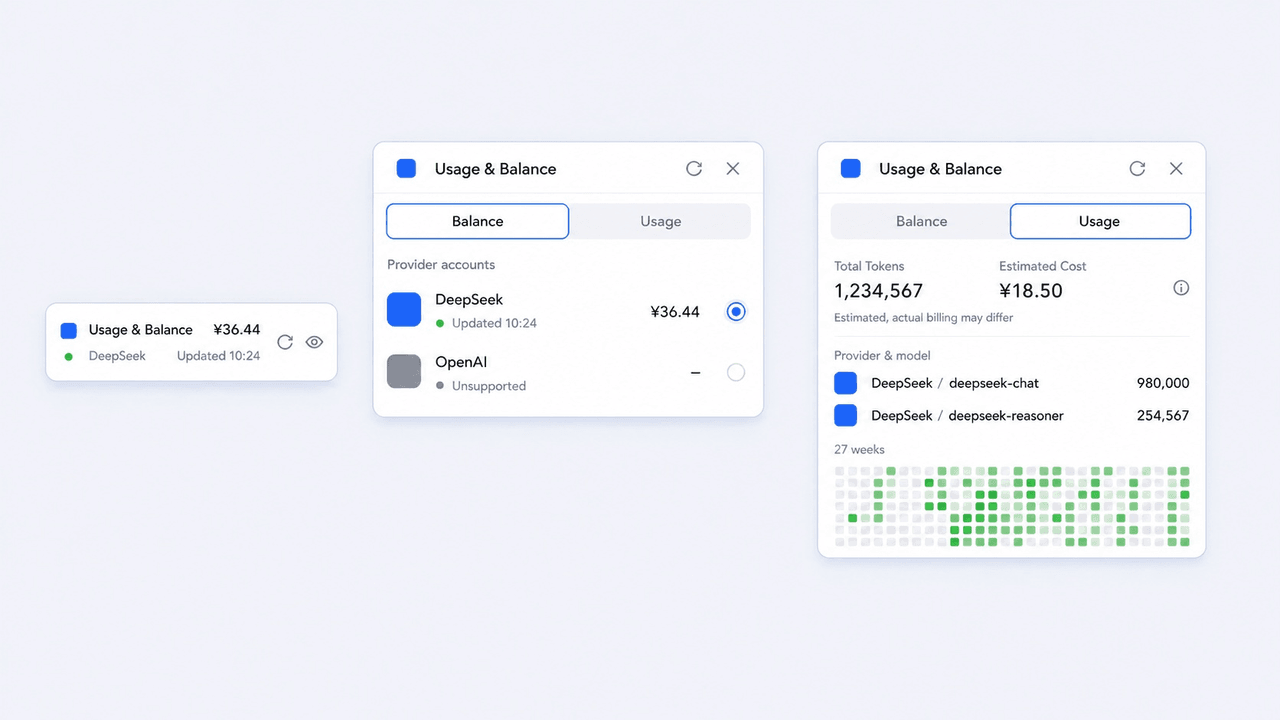 ericw0315/dsh-usage-lite
为 DeepSeek Harness Web 界面提供简洁、优雅的余额与 Token 用量面板。 Compact provider balances and local token-usage analytics for the Deep…
ericw0315/dsh-usage-lite
为 DeepSeek Harness Web 界面提供简洁、优雅的余额与 Token 用量面板。 Compact provider balances and local token-usage analytics for the Deep…
-
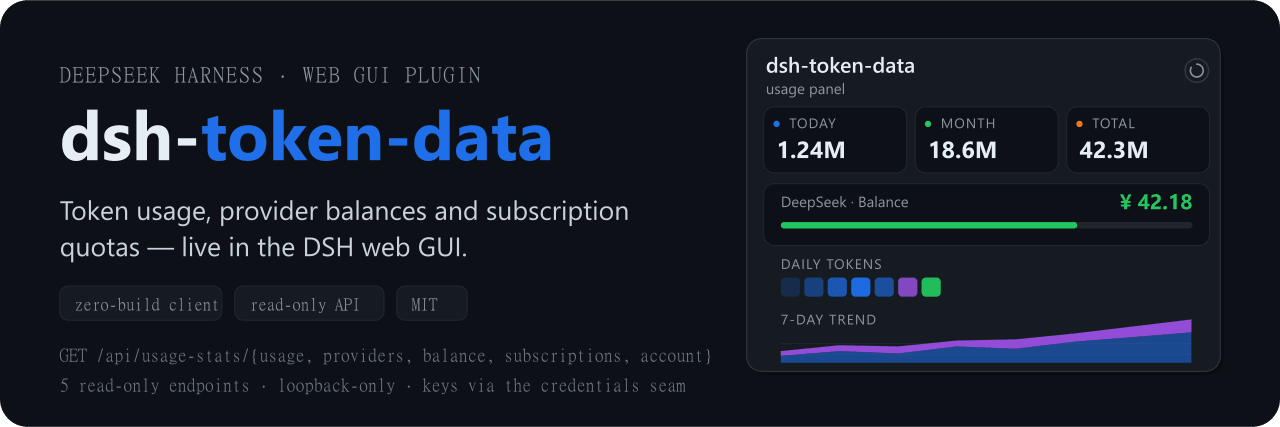 dawsondx/dsh-token-data
Token usage dashboard, provider balances, and subscription quotas for the DeepSeek Harness (DSH) web GUI
dawsondx/dsh-token-data
Token usage dashboard, provider balances, and subscription quotas for the DeepSeek Harness (DSH) web GUI
-
 Han-1413141/dsh-cost-meter
DeepSeek Harness session cost meter plugin: session/daily cost, budget, history, OpenCode Go quota, official & custom-pr…
Han-1413141/dsh-cost-meter
DeepSeek Harness session cost meter plugin: session/daily cost, budget, history, OpenCode Go quota, official & custom-pr…
-
 wssfk12138/dsh-damage-pulse
DeepSeek Harness Token 余额监控插件:鲸鱼娘待机/扣费/复苏动画、峰谷计费、连续扣费飘字与会话费用统计。
wssfk12138/dsh-damage-pulse
DeepSeek Harness Token 余额监控插件:鲸鱼娘待机/扣费/复苏动画、峰谷计费、连续扣费飘字与会话费用统计。
-
 yxxbc/dsh-balance-plugin
deepSeek 余额监控与用量统计(DSH 动态 Cordis 插件):余额监控 · 官方充值入口 · 用量统计 · 三方插件管理
yxxbc/dsh-balance-plugin
deepSeek 余额监控与用量统计(DSH 动态 Cordis 插件):余额监控 · 官方充值入口 · 用量统计 · 三方插件管理
-
 slywalker2006/dsh-passwords
Server-grade gateway that turns DeepSeek Harness into a multi-tenant platform: remote access + auto HTTPS, subuser permi…
slywalker2006/dsh-passwords
Server-grade gateway that turns DeepSeek Harness into a multi-tenant platform: remote access + auto HTTPS, subuser permi…
-
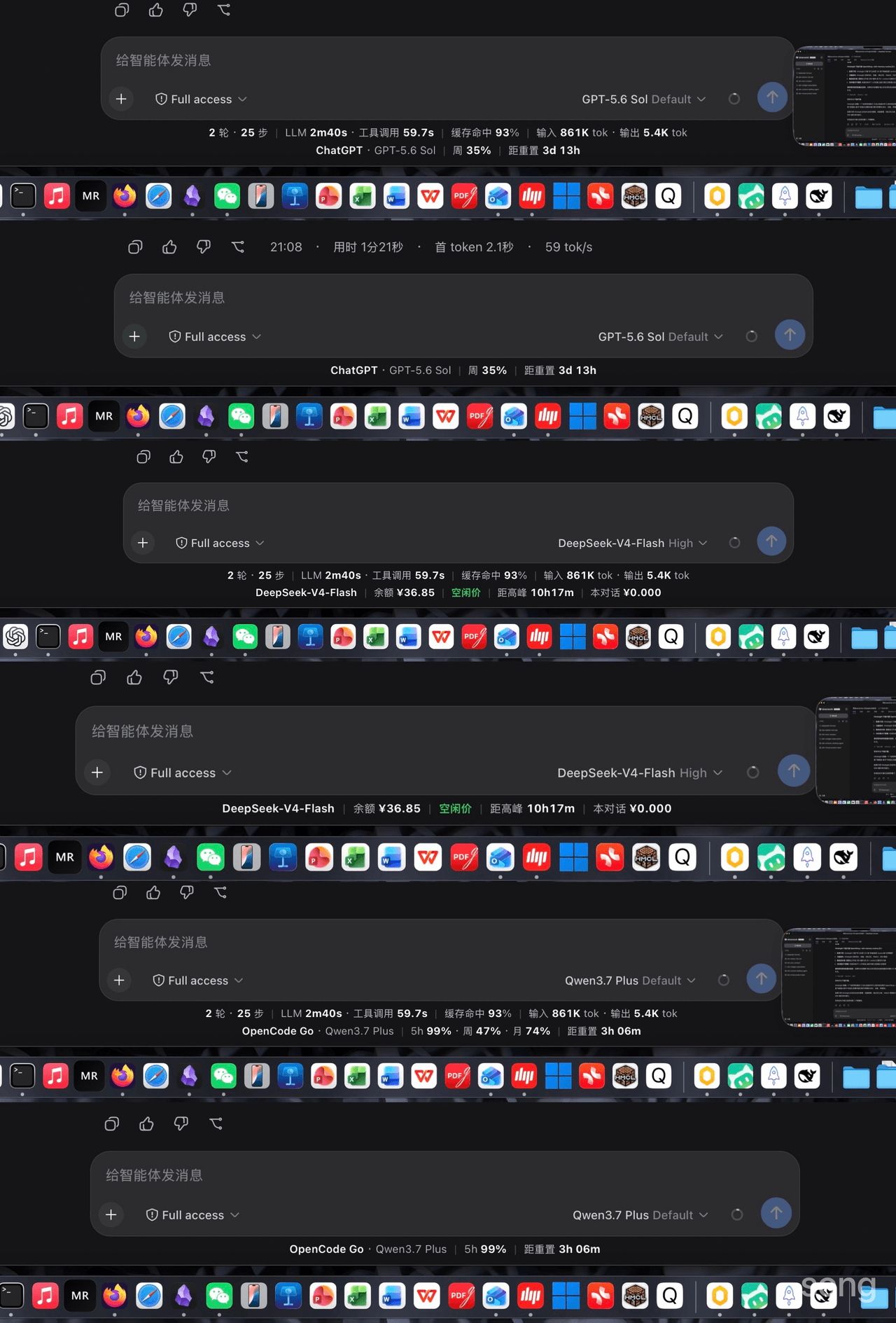 songoao25/dsh-bottom-info-bar
Bottom Info Bar — an information bar plugin for DeepSeek Harness: provider/model, live balance, peak/off-peak pricing wi…
songoao25/dsh-bottom-info-bar
Bottom Info Bar — an information bar plugin for DeepSeek Harness: provider/model, live balance, peak/off-peak pricing wi…