sikwoxy/dsh-tool-memory
DeepSeek Harness 插件:跨会话持久记忆(Hermes 风格)
Project Overview项目介绍
dsh-tool-memory is a native cross-session persistent memory plugin built specifically for DeepSeek Harness, porting the bounded, plain-text memory mechanism from NousResearch's Hermes Agent. It is installed with dsh plugin add dsh-tool-memory, registers three system-prompt sections (notes snapshot, profile snapshot, and first-use guidance), and exposes six tools that split Hermes's single memory tool into DSH-idiomatic memory_add, memory_replace, memory_remove, memory_batch, memory_show, and memory_refresh. Storage defaults to $DSH_HOME/memories/MEMORY.md and USER.md, using the same § separator and 2200/1375 character budgets as Hermes, with configuration overrides available in cordis.patch.yml.
Typical usage is conversational — the agent injects a first-use onboarding section when USER.md is empty, gathers preferences, then writes them back; thereafter users say things like "remember this project uses reverse workflow" or "delete the temporary reminder entry" and the model routes them to the right memory tool. Mid-session writes hit disk immediately but never mutate the already-injected system prompt, preserving LLM prefix cache; session/created and the explicit memory_refresh tool rebuild the frozen snapshot. A background review loop, aligned with Hermes's background_review.py, fires every N user messages (default 10), spawns an isolated sub-agent restricted by toolFilter to memory_* tools, and writes long-lived preferences automatically with three notification tiers.
Dependencies and limits: a sub-agent provider with toolFilter support is required for the background review, otherwise the step degrades silently and logs the reason; threat scanning ports Hermes strict patterns plus three Chinese patterns plus invisible-Unicode checks and rejects poisoned writes while masking them in snapshots. Drift protection refuses writes that cannot round-trip through parsing and saves a .bak snapshot instead of silently discarding manual edits; {{variable}} placeholders inside memory content are escaped to keep section assembly from breaking. The project is MIT-licensed, built with pnpm and vitest, and runs on any standard DSH deployment.
dsh-tool-memory 是为 DeepSeek Harness 设计的原生跨会话持久记忆插件,把 NousResearch Hermes Agent 的 memory_tool 机制移植到 DSH 环境。安装方式为在终端执行 dsh plugin add dsh-tool-memory,插件注册 3 个 system-prompt section(笔记快照、画像快照、首次使用引导)与 6 个工具,覆盖 memory_add/replace/remove/batch/show/refresh 的完整增删改流程。
典型用法是用自然语言指挥代理:用户回答首次引导后画像自动落盘;会话中追加记忆、批量原子替换、按子串删除条目均可直接调用;外部手编辑会被尊重但触发漂移保护。MEMORY 与 USER 两份文件默认落在 $DSH_HOME/memories,分别承担代理笔记与用户画像两类条目。
依赖与限制方面,预算默认 2200/1375 字符并可覆盖;后台评审间隔 nudgeInterval 默认 10 条用户消息,缺 subagent provider 或 toolFilter 能力时降级跳过;威胁扫描保留 Hermes strict 模式并补 3 条中文模式;MIT 协议;测试用 pnpm+vitest;首次安装后空 USER.md 会自动触发引导。
请帮我安装这个 DSH 插件。安装前先完成【兼容性检查 + 安全性检查】,检查通过再动手。

插件:dsh-tool-memory(sikwoxy/dsh-tool-memory)
仓库:https://github.com/sikwoxy/dsh-tool-memory
本站详情页:https://www.yhbd.top/plugins/sikwoxy-dsh-tool-memory/
本站登记:类型 plugin · 归类 原生 DSH 插件 · 许可证 MIT · ⭐ 3 · 最近提交 2026-08-14 · 主语言 TypeScript

按下面顺序执行,每步先把结论告诉我,再进入下一步:

【1 兼容性检查】
① 我这边:DSH 版本、Node 版本、操作系统、当前 profile(web / desktop)。
② 读它的 README、package.json、插件 manifest,列出它要求的 DSH 版本 / Node 版本 / 操作系统 / 外部依赖 / 需要另外先装的运行时。
③ 逐条比对,结论只写「满足 / 不满足 / 未知」三种;不满足的给出可行替代方案。
④ 检查是否和我已装的插件冲突:命令名重复、skill / tool 重名、端口占用、重复注册的 MCP server。

【2 安全性检查】
① 仓库可信度:和上面「本站登记」是否一致;star / fork 数、创建时间、最近提交,是否归档或长期停更。
② 安装脚本:逐行看 package.json 的 preinstall / install / postinstall,以及 install.sh、setup.ps1 之类脚本。出现 curl|bash、下载后直接执行、混淆代码、访问与插件功能无关的域名,立刻停下来告诉我,不要继续装。
③ 依赖:列出新增依赖,标出无人维护、或与知名包拼写近似的可疑包(typosquatting)。
④ 权限与副作用:它会读写哪些目录、访问哪些域名、需要哪些 DSH 权限(filesystem / network / shell / clipboard 等),以及怎么卸载和回滚。
⑤ 如果它要求 sudo / 管理员权限,或权限明显超出功能所需,先停下来问我。

【3 安装】
上面两步没有「不满足」和「高危项」时才执行;用官方推荐方式安装,不要自行提权。

【4 汇报】
用表格输出:检查项 / 结论 / 依据 / 是否需要我决策。拿不准的一律写「未知」并说明要我怎么确认——不要猜,也不要替我决定。
Send this message to DSH in your current session: it verifies compatibility and security first (answering met / not met / unknown item by item) and only installs once everything checks out — it will stop and ask you if it finds a high-risk item. The box scrolls; the copy is the full prompt. CLI install commands may not be accurate across systems, so DSH is the safer route.把上面这条消息直接发给当前会话里的 DSH:它会先核对兼容性与安全性(逐条给「满足 / 不满足 / 未知」),确认没问题再安装,有高危项会停下来问你。框内可滚动,复制到的是完整提示词;安装命令不一定准确,发给 DSH 更稳。
- Only 3 stars - very few users, little community feedback星标只有 3,几乎没人在用,遇到问题缺少社区反馈
DSH walks through these 9 checksDSH 会逐条核对这 9 项
Compatibility兼容性
- DSH, Node, OS and profile requirementsDSH 版本 / Node 版本 / 操作系统 / profile 是否满足要求
- External dependencies and runtimes (Electron / Python / Docker, ...)外部依赖与运行时(Electron / Python / Docker 等)是否齐备
- Conflicts with installed plugins: command names, skill / tool names, ports, duplicate MCP registration与已装插件是否冲突:命令名、skill / tool 重名、端口占用、重复 MCP 注册
Security安全性
- Repo matches the facts registered here; archived or abandoned?仓库是否与页面登记一致,是否归档或长期停更
- Safety of preinstall / install / postinstall and install.sh / setup.ps1preinstall / install / postinstall 与 install.sh、setup.ps1 是否安全
- curl|bash, download-then-execute, obfuscation, unrelated domains → stop immediatelycurl|bash、下载即执行、混淆代码、无关域名 → 立刻停止
- Typosquatting or unmaintained packages among the new dependencies新增依赖里有没有 typosquatting 或无人维护的包
- Requested permissions vs. what the feature actually needs申请了哪些权限、是否超出功能所需(filesystem / network / shell / clipboard)
- Any sudo / admin requirement, plus uninstall and rollback是否要求 sudo / 管理员权限,以及卸载与回滚方式
Anything uncertain must be marked unknown with a note on how to confirm it. This site's signal screen is a static snapshot, not a security audit.拿不准的必须标「未知」并说明要我怎么确认。本站的信号筛查是静态快照,不能替代安全审计。
Or use CLI install (for developers)或使用命令行安装(适合开发者)
CLI Install命令行安装
dsh plugin add dsh-tool-memory把 sikwoxy/dsh-tool-memory 加入你的 DSH 配置(web profile)即可启用。
READMEREADME
dsh-tool-memory —— DeepSeek Harness 跨会话持久记忆插件
把 Hermes Agent 的 memory 工具 的机制移植到 DeepSeek Harness:有界、纯文本、跨会话的记忆。 插件加载与每个新会话开始时,把记忆以冻结快照注入 system prompt; 会话中途的写入立即落盘,但不改变 system prompt——保住 LLM prefix cache。
记忆机制(与 Hermes 对齐)
| 机制 | Hermes | 本插件(DSH) |
|---|---|---|
| 存储 | ~/.hermes/memories/MEMORY.md + USER.md |
<root>/MEMORY.md + USER.md(默认 $DSH_HOME/memories) |
| 条目格式 | § 分隔的纯文本列表,可多行 |
同左(分隔符 \n§\n,与 Hermes 逐字符一致) |
| 两个存储 | MEMORY=代理笔记;USER=用户画像 | 同左 |
| 字符预算 | 2200 / 1375 字符(按字符数,模型无关) | 同左(可用配置覆盖) |
| 冻结快照 | 会话开始时注入 system prompt;中途写入不改快照 | 同左:插件加载 + session/created 时重建快照,经 ctx.systemPrompt.section() 注入 |
| 工具面 | 单工具 memory + action 参数 |
DSH 惯例拆分:memory_add/replace/remove/batch/show/refresh |
| 定位 | replace/remove 用短唯一子串匹配,非 ID | 同左;歧义报错引导更具体 |
| 预算超限 | 返回合并引导错误(列出当前条目),本轮内合并后重试 | 同左(错误信息含条目清单与占用) |
| 批量 | apply_batch 原子、对最终预算校验 |
同左(all-or-nothing) |
| 写安全 | 锁文件 + 原子写 + 漂移保护(外部内容不 round-trip → 拒写 + .bak 快照) |
进程内互斥 + 原子 rename + 同款漂移保护 |
| 威胁扫描 | 写前扫描(strict 作用域)+ 快照构建时屏蔽毒条目 | 同左(英文模式移植 + 3 条保守中文模式 + 不可见 Unicode) |
| 成功响应 | 终态:报占用、不回显条目(防重复调用) | 同左(note: 写入已完成,不要重复执行) |
安装
# 在 deepseek-harness 环境内
dsh plugin add dsh-tool-memory
插件注册 3 个 system-prompt section(笔记快照 / 画像快照 / 首次使用引导)与 6 个工具,用自然语言直接指挥即可:
| 工具 | 参数 | 说明 |
|---|---|---|
memory_add |
content(必填), target? |
追加一条记忆(默认 memory=我的笔记;user=用户画像) |
memory_replace |
old_text, new_content, target? |
替换「包含 old_text 子串」的条目 |
memory_remove |
old_text, target? |
删除「包含 old_text 子串」的条目 |
memory_batch |
operations(必填), target? |
原子批量(删旧加新一次完成) |
memory_show |
target? |
查看活状态条目与占用 |
memory_refresh |
— | 手动重读磁盘并重建快照(通常无需调用) |
初始化模式(首次使用)
用户画像(USER.md)为空时,system prompt 会自动注入一段首次使用引导, 由模型主动向用户提问(怎么称呼、做什么工作/项目、沟通偏好等):
- 用户回答后,模型把信息整理成条目写入 USER.md;
- 画像一旦有内容,引导 section 返回空——引导自动消失,无需删除任何文件 (判据就是「USER.md 是否为空」,清空画像即重新初始化);
- 不想介绍可直接回复「跳过」,引导会在下次会话再次出现。
示例对话:
- “记住:这个项目的文档任务用反向工作流”
- “把『codex CLI』那条更新为 v0.148”
- “删掉『临时备注』那条”
- “我改过 MEMORY.md 了,刷新一下记忆”
- “你记得我有什么工作习惯吗?”(模型从 system prompt 快照回答)
Showing the opening section of the README — the full document lives in the repository以上为 README 开头摘要,完整文档在仓库内 · View the full README on GitHub →在 GitHub 查看完整 README →
Related相关推荐
-
 vshulcz/deja-vu
The most accurate, cheapest and fastest memory for coding agents: searchable session history from Claude Code, Codex, Cu…
vshulcz/deja-vu
The most accurate, cheapest and fastest memory for coding agents: searchable session history from Claude Code, Codex, Cu…
-
 adoresever/graph-memory
Deepseek Harness、Openclaw知识图谱记忆插件。2026年4月受邀发布在清华大学讨论会。Knowledge Graph + Memory;Knowledge Graph Context Engine for OpenCl…
adoresever/graph-memory
Deepseek Harness、Openclaw知识图谱记忆插件。2026年4月受邀发布在清华大学讨论会。Knowledge Graph + Memory;Knowledge Graph Context Engine for OpenCl…
-
 mnemon-dev/mnemon
LLM-supervised persistent memory for AI agents — graph-based recall, cross-session knowledge, single binary. Works with …
mnemon-dev/mnemon
LLM-supervised persistent memory for AI agents — graph-based recall, cross-session knowledge, single binary. Works with …
-
 Phant0Meow/dsh-meow-memory
Cross-session memory plugin for DeepSeek Harness: seven-layer SQLite store (soul/user/project/fact/lesson/topic/rules), …
Phant0Meow/dsh-meow-memory
Cross-session memory plugin for DeepSeek Harness: seven-layer SQLite store (soul/user/project/fact/lesson/topic/rules), …
-
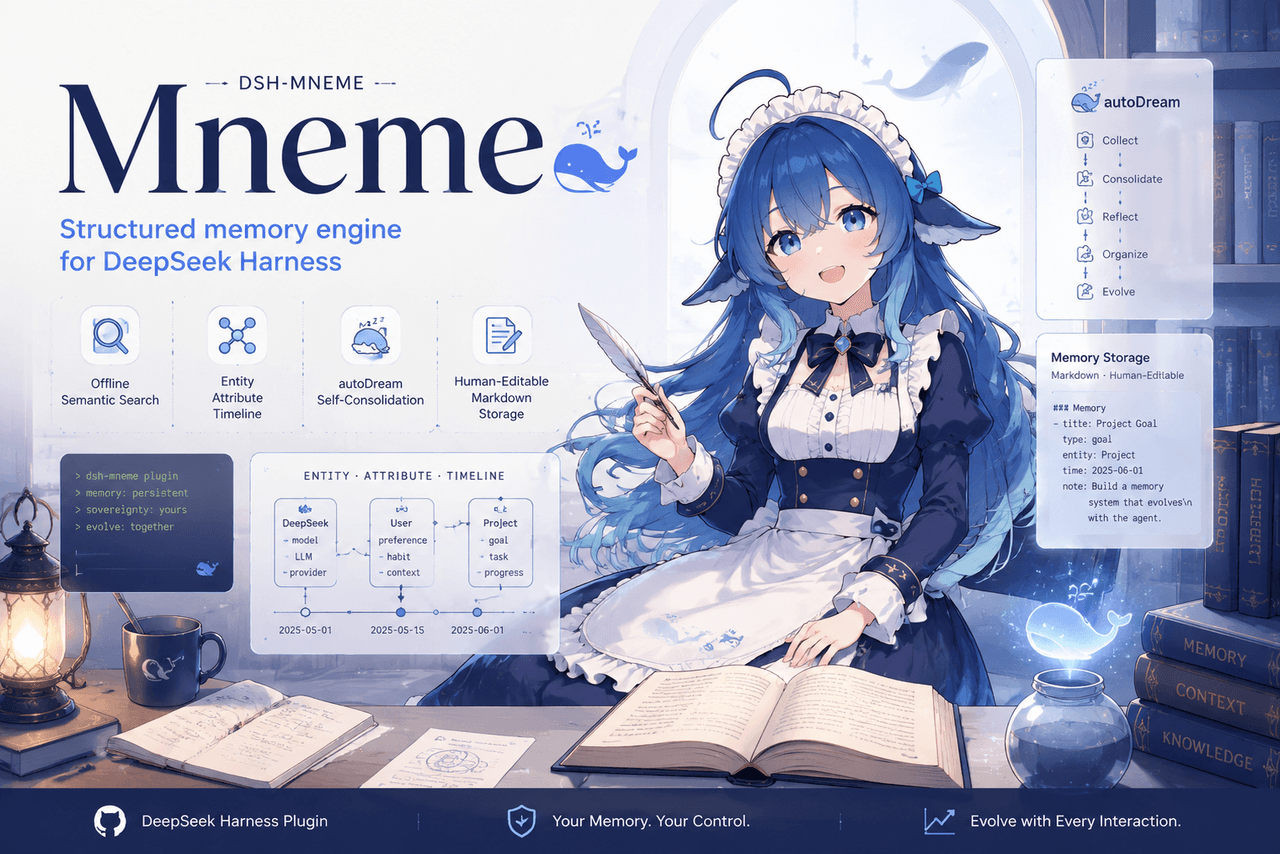 slow-stack/mneme
🧠 The memory that dreams — cross-session memory for DeepSeek Harness. Offline & private, auto-consolidates in its sleep…
slow-stack/mneme
🧠 The memory that dreams — cross-session memory for DeepSeek Harness. Offline & private, auto-consolidates in its sleep…
- hg1048596-pixel/dsh-recall-unread DeepSeek Harness (DSH) 插件:在模型读取前撤回已发送的文字消息,支持单条与全部撤回。A DeepSeek Harness plugin that recalls sent-but-unread text message…
- Tasihi89/dsh-talk-map Visual conversation map for DeepSeek Harness — sessions as cards on a whiteboard: drag to arrange, double-click to chat,…
-
 Aik358/dsh-auto-memory
Proactive associative memory for DSH: system-prompt recall before the model speaks, three-layer auto-consolidation, skil…
Aik358/dsh-auto-memory
Proactive associative memory for DSH: system-prompt recall before the model speaks, three-layer auto-consolidation, skil…