AI 文档翻译:原理与实操AI Document Translation: How It Works and How to Do It
靠人工翻文档,一整个下午就没了;换成 AI,同样的活几秒钟出结果,排版、语境、准确度都能兼顾。下面有工具清单、实操技巧和真实案例。
Manual translation eats entire afternoons; AI finishes the same job in seconds, formatting, context and accuracy included. Tools, tips and worked examples below.
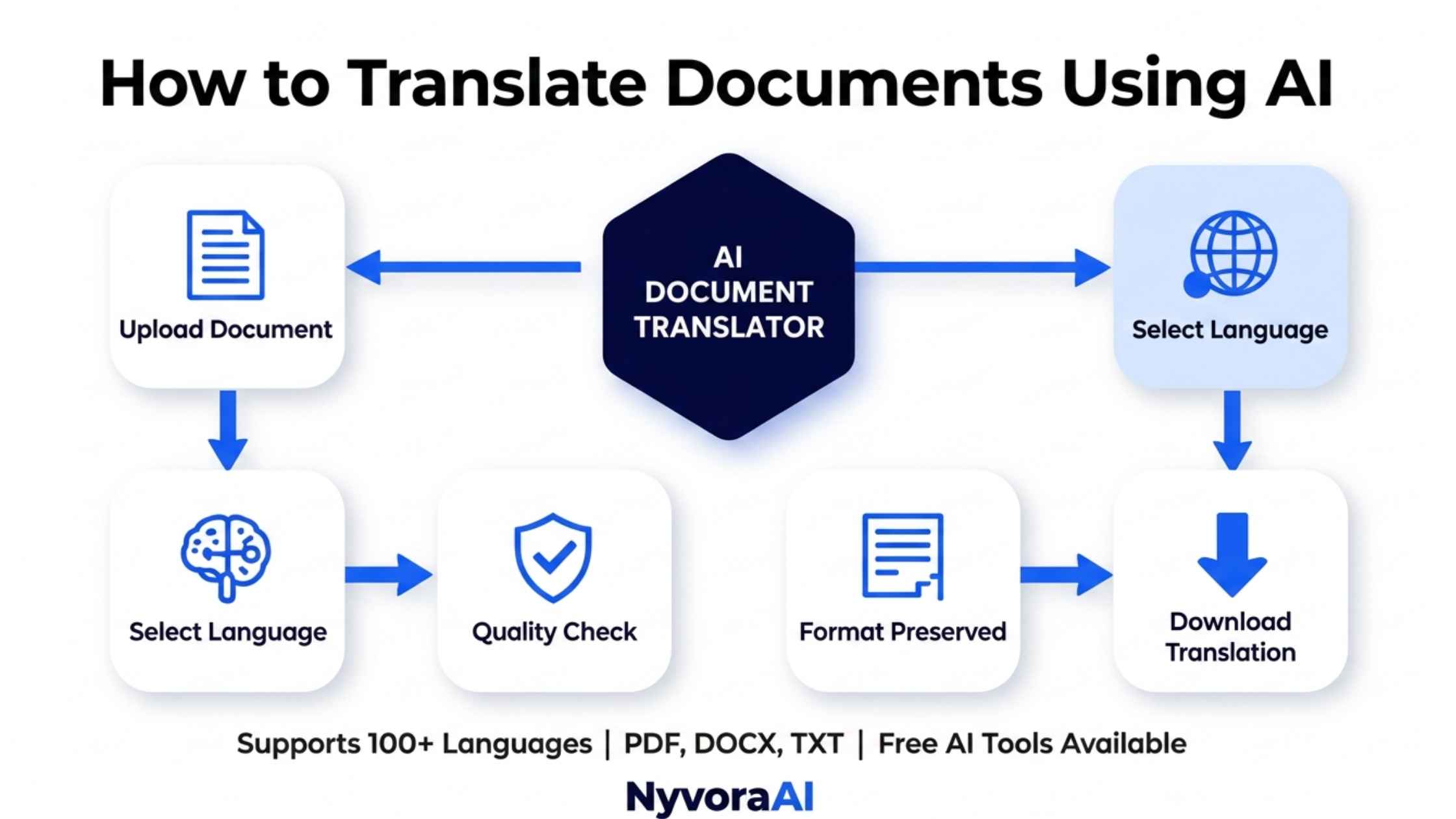
设想一份 50 页的德文合同今晚进邮箱,明天开会前就得看懂;又或者你的生意要开进拉美,整本西班牙语产品目录还等着本地化。放在五年前,这两件事都只能交给收费不菲的人工译员,一等就是好几周。
而现在,同样的文件几分钟就能出译文,质量好得让人意外。问题在于:各家翻译引擎的水平差得很远,选错工具,轻则闹出尴尬错译,重则惹上法律麻烦。
下面讲的是我自己一直在用的做法:各价位里最好用的工具、各类常见文件格式的具体点击路径,以及让机翻结果既准确又专业的核对方法。
01为什么该用 AI 翻译文档
老办法慢是慢在流程上:文件交给翻译公司,得等 3-5 个工作日才有结果,报价按每词 $0.10-$0.30 计。一本 10,000 词的手册算下来就是 $1,000-$3,000,外加近一周的等待。
换成 AI,这套算法被彻底颠倒过来:
🐌 传统翻译流程
- 周期:3-7 个工作日
- 可用时间:仅限办公时段
- 版式:需要手工重新排版
- 产能:受译员人数限制
⚡ AI 翻译
- 周期:几秒到几分钟
- 可用时间:全天候随时可用
- 版式:自动保留
- 产能:没有上限
不过,速度和价格只是故事的一半。如今的引擎基于神经机器翻译(NMT),这类模型对语境、习语和文化细微差别的把握,是早年逐词组机械替换的系统完全做不到的。再配合 AI 关键词研究,译文还能针对目标市场读者实际使用的搜索引擎做优化。
02AI 翻译引擎内部在做什么
搞清楚引擎在后台做了什么,用起来才顺手。每次你把文件交出去,背后跑的都是下面这几步:
- 1
读取文件
1 引擎先把文字抽出来,同时记录文件的结构:标题、正文、表格、图片各在什么位置。更成熟的工具还能读懂藏在 PDF 和 Word 里的排版代码。
- 2
判断词义
2 老式工具逐词组处理,而现在的模型会先读完整个句子甚至整段,再判断词义。正因如此,它才知道「bank」指的是银行还是河岸。
- 3
生成译文
3 真正生成译文的是深度学习模型,训练材料是数十亿份已译文档。语法、语序以及目标语言中何为得体表达,都会影响最终输出。
- 4
重建版式
4 最后,译文被放回原来的文档骨架里,字体、图片、样式和版面都保持不变。这一步正是「够用」和「出色」的分水岭。
普通长度的文件,整套流程几秒钟就跑完了。想了解底层的技术原理,可以看我们这篇 AI 推理与训练的区别,里面讲了模型是怎么处理你的文档的。
03哪些 AI 翻译工具值得用
差距最大的地方就在文档处理上。很多工具翻一段文字很漂亮,一碰 PDF 排版就全毁;也有工具擅长商务文件,价格也同样高。以下结论来自我自己的实测。
DeepL Pro
Google Translate
Microsoft Translator
Smartcat
DocTranslator
Lokalise AI
04分步操作:完整流程
下面这套流程,我处理任何文件时都会用,客户合同和营销物料一视同仁:
方法一:10 页以内的一次性翻译
用 Google Translate 的话:
- 打开 translate.google.com
- 点顶部栏的 Documents(文档)标签
- 上传文件,PDF、DOCX、PPTX、XLSX 都支持
- 选好源语言和目标语言
- 点「翻译」,等待 10-30 秒
- 下载译好的文件
用 DeepL 的话:
- 到 deepl.com 注册一个免费账号
- 在左侧菜单里选 Translate files(翻译文件)
- 把文档拖进窗口
- 设置目标语言
- 下载译文(免费版每月 3 个文件,单个最大 5MB)
方法二:整批文件一起翻
文件超过 20 份,一个个手工上传就不现实了,得这么自动化:
- 用 Smartcat 或 Lokalise 新建项目,把所有文件一次性传进去
- 开启翻译记忆库,让引擎沿用此前的译法,保证前后一致
- 挂上术语表,把关键术语的译法固定下来——比如西班牙语里「cloud」统一译作「nube」,而不是「nube informática」
- 启动翻译,让引擎一次性处理全部文件
- 重点检查关键段落,然后批量导出全部译文
这套思路和 用 AI 批量做 YouTube 内容 是一个道理:重复劳动交给机器,精力留给质量把关。
05翻译 PDF 时如何不破坏排版
所有格式里最能折腾人的就是 PDF。它的设计目标就是在任何设备上显示都一模一样,而这种刚性恰恰让替换文字变得麻烦。正确做法如下。
- PDF原始 PDF
- OCR提取文字与版式
- AI翻译内容
- PDF按原版式重组
PDF 翻译的实务要点
- 优先用 DocTranslator 或 DeepL,这两个工具都以保住 PDF 版式为出发点
- 当心扫描件:如果 PDF 本质上是图片,工具必须支持 OCR(光学字符识别)
- 复杂版式要逐处检查:表格、多栏文本和文本框有时会错位,输出结果要看过后再用
- 排版很讲究的文件,绕一趟 Word 更稳:先转 DOCX,翻译完再导出回 PDF
如果是在给公司搭自动化流程,不妨 让 AI 助理接手企业里的文档事务,把翻译需求从同事手里彻底接过去。
06如何保证译文准确
机翻效果确实亮眼,但没有任何机制能保证它不出错。下面这些检查能让问题在送到客户手里之前先暴露出来:
- 1
做回译验证
1 先把文档译成目标语言,再把它译回原文语言。把回译结果和原文并排对照,两者差别明显的地方,往往就是出错的地方。
- 2
核查行业术语
2 行业术语是机翻的短板。把本领域的关键词整理成术语表,逐一确认译法无误——「machine learning」的西班牙语是「aprendizaje automático」,绝不是「máquina de aprender」。
- 3
审视文化适配
3 习语、幽默和文化典故最容易翻车——「break a leg」逐字直译就完全变味了。先查清文化背景再动笔,这类功课可以借助 Perplexity AI。
- 4
高风险内容交给人工
4 合同、医疗文书和营销文案,一律不能未经人工过目就交付。让 AI 出初稿,再请母语者做最终校对。
07企业里的真实应用场景
真正在生产环境里跑这套能力的企业,做法反复集中在这么几类:
电商出海
电商会把商品文案、使用手册和客服文档翻成 10 种以上语言。我接触过的一家客户,用 Smartcat 在 2 小时内把 5,000 条商品信息从英文翻进西班牙语、法语和德语;同样的活交给翻译公司,报价会是 $15,000、周期 3 个月。
人力资源与入职
大型雇主会把员工手册、培训课件和制度文件本地化。新员工入职当天就能拿到母语版资料,不必等上好几周。
法律与合规
律所看重的是理解速度:拿到外文合同能马上读懂、马上评估。真正要提交或签署的译本,仍必须由持证译员出具,但初步审阅环节不用再排队等待。
内容营销
博客文章、白皮书和客户案例会被改写给海外读者看。如果再加上 AI 驱动的 SEO 关键词研究,本地化页面还能针对当地主流搜索引擎做优化。
08进阶:让文档翻译自动运行
想让整个流程脱离人工?可以这样自动化:
用 API 把流程接起来
专业级工具几乎都提供 API。一个最简配置长这样:
- 在云盘里建一个文件夹,Google Drive 或 Dropbox 都行
- 让 Zapier 或 Make.com 盯着这个文件夹,发现新文件就触发
- 把每个文件转发给 DeepL 或 Google Translate 的 API
- 把译文写入另一个文件夹
- 通过 Slack 或邮件通知团队
这和 给网站做聊天机器人 是同一个思路:配置一次,之后它自己跑下去。
用自家术语训练模型
专有词汇量大的企业,可以拿自己的语料去精调模型。Microsoft Translator 和 Google Cloud Translation 都支持上传翻译记忆库与术语表,用来提升本行业用语的准确度。
09安全与隐私问题
有些文件根本不该丢进免费的在线翻译工具。以下几类要特别当心:
⚠️ 不要用免费工具处理:
- 财务文件
- 个人数据(受 GDPR 保护)
- 商业机密信息
- 医疗记录
✅ 应交由企业级工具处理:
- Microsoft Translator(数据加密)
- Google Cloud Translation(企业版)
- 面向敏感数据的本地化部署
- 愿意签署数据处理协议的供应商
免费服务往往会留存你上传的文件,还可能拿去做模型训练。企业版做法不同:会签订数据处理协议(DPA),并书面承诺文件既不存储、也不用于训练。
10常见问题
翻译文档到底该选哪个 AI 工具?
AI 处理 PDF 靠得住吗?
把文件传上去安全吗?
这套东西花多少钱?
手写文档也能用吗?
实际准确率到底有多高?
11结语:翻译要讲方法,不要拼体力
说句实话:它并不完美,但对大多数人九成以上的需求已经够用,而且每个月都在变好。现在的问题不是要不要用 AI 翻译,而是怎么有策略地用。
从零成本的地方开始:Google Translate 或 DeepL 免费版,拿自己真实的文件去试。等你看到周期和账单的变化,日常翻译就再也回不去老流程了。
对高风险内容,把机器的速度和人的判断结合起来:AI 出初稿,母语者润色定稿。这种混合方式能拿到 80% 的成本降幅,同时保住专业水准。
记住目标:译得完美从来不是目的,被真正理解才是。而这件事,如今一人公司也好,财富 500 强也罢,都做得到了。
那就挑一份你一直拖着没翻的文件,用上面提到的任意一个工具跑一遍,2026 年能做到什么程度,试过就知道。
Picture a German contract, 50 pages long, landing in your inbox tonight and needed before tomorrow's meeting. Or a retail business pushing into Latin America with an entire Spanish product catalogue still to localise. Five years back, both jobs landed on a pricey human translator's desk and took weeks to come back.
Now the same files return in minutes, and the output quality is genuinely startling. The catch: translation engines differ enormously from one another, and the wrong choice can produce humiliating errors or, in the worst case, a legal problem.
What follows is the method I actually use: the strongest tools at each price point, the exact click-path for every common file format, and the checks that keep machine output professional rather than merely readable.
01The Case for AI Translation
The old route is slow by design. Files go out to an agency; 3-5 business days pass before anything returns; the invoice runs $0.10-$0.30 per word. Run those numbers on a 10,000-word manual and you are looking at $1,000-$3,000 plus the better part of a week.
With AI the equation inverts:
🐌 Old-school agency route
- Turnaround: 3-7 business days
- When it's available: office hours, nothing else
- Layout: everything has to be rebuilt by hand
- Volume: capped by how many translators you can hire
⚡ Machine translation
- Turnaround: seconds, occasionally a minute or two
- When it's available: around the clock, instantly
- Layout: kept automatically
- Volume: no ceiling
Speed and price are only half the story, though. Engines today run on neural machine translation (NMT), a family of models that reads context, idiom and cultural shading in ways a phrase-by-phrase engine never could. Pair that with AI-powered keyword research and the translated pages can be tuned for whichever search engine readers in that market actually use.
02What Happens Inside an AI Translator
Knowing what the engine does behind the scenes makes you a better operator. The sequence below runs every time you hand a file over:
- 1
Reading the file
1 Text gets lifted out, and at the same time the engine maps how the file is put together: headings, body copy, tables, images. Better tools can read the formatting codes buried inside PDFs and Word files too.
- 2
Working out meaning
2 Where older tools worked phrase by phrase, today's models read whole sentences, sometimes whole paragraphs, before deciding what a word means. That is how the engine knows whether "bank" refers to a lender or to a riverbank.
- 3
Generating the target text
3 Generation is handled by deep learning models that have seen billions of translated documents. Grammar, word order and what counts as culturally appropriate in the target language all factor into the output.
- 4
Rebuilding the layout
4 Finally the new text is slotted back into the original skeleton, fonts, images, styling and page layout intact. This last stage is what separates an adequate tool from an excellent one.
On a normal-length file the whole thing is over in seconds. Curious about the machinery underneath? Our guide to AI inference vs training explains how a model actually chews through your document.
03Which AI Translators Are Worth Using
Document handling is where these products diverge most. Plenty of them translate a paragraph beautifully and then wreck your PDF layout; others are superb on corporate paperwork and priced accordingly. What follows comes from my own testing.
DeepL Pro
Google Translate
Microsoft Translator
Smartcat
DocTranslator
Lokalise AI
04The Workflow, Step by Step
This is the routine I follow for every file that comes my way, client contracts and marketing collateral alike:
Method 1: One-off jobs under 10 pages
If you're using Google Translate:
- Open translate.google.com
- Switch to the Documents tab in the top bar
- Drop in your file; PDF, DOCX, PPTX and XLSX all work
- Pick the language you're translating from and the one you want
- Hit Translate, then expect to wait 10-30 seconds
- Save the finished file to your machine
With DeepL instead:
- Register a no-cost account on deepl.com
- In the left-hand menu, choose Translate files
- Drag your document into the window
- Set the target language
- Download the result (the free plan allows 3 files/month, 5MB max)
Method 2: Handling a whole batch
Once you are past 20 documents, uploading them one at a time stops being an option. Automate it like this:
- Open Smartcat or Lokalise, start a project, and drop every file in together
- Turn on translation memory so the engine reuses your earlier wording and stays consistent
- Attach a glossary that pins down fixed renderings for key terms; in Spanish, "cloud" should come out as "nube" rather than "nube informática"
- Let the engine translate everything in one go
- Spot-check the sections that matter, then export the whole set
The logic mirrors what you'd do to use AI to create YouTube content in volume: let the machine absorb the repetitive part, and spend your own attention on quality control.
05Translating PDFs Without Wrecking the Layout
Of all the formats, PDF fights back hardest. Its whole purpose is to render identically on every machine, and that rigidity is exactly what makes text replacement awkward. Here is how to work with it.
- PDFSource PDF
- OCRText and layout pulled out
- AIContent translated
- PDFLayout rebuilt
What works when translating PDFs
- Reach for DocTranslator or DeepL; both are built around keeping PDF layout intact
- Watch out for scans: a PDF that is really an image needs a tool with OCR (Optical Character Recognition) on board
- Complex layouts deserve a close look; tables, multi-column blocks and text boxes may drift, so inspect the result rather than trusting it
- For heavily designed files, a round trip through Word helps: go PDF, then DOCX, translate, then export back to PDF
Building automation for a company? It is worth put an AI assistant to work in your business to take translation requests off your colleagues' hands entirely.
06Making Sure the Translation Is Right
Machine output impresses, yet nothing about it guarantees correctness. The checks below catch problems before they reach a client's desk:
- 1
Round-trip the text
1 Put your document through into the target language, then run it back into the original one. Lay the result beside your source text: wherever the two diverge sharply, suspect a mistake.
- 2
Audit the jargon
2 Industry jargon is a known weak spot. Build a glossary of the terms that matter in your field and confirm each one came through correctly; "machine learning" in Spanish is "aprendizaje automático", never "máquina de aprender".
- 3
Check the cultural fit
3 Idiom, humour and cultural reference are the usual casualties; "break a leg" loses everything if rendered word for word. Look up the cultural angle first, and Perplexity AI is handy for that research.
- 4
Bring in a human for high-stakes work
4 Contracts, medical documents and marketing copy must never ship without human eyes on them. Let AI produce the first pass, then pay a native speaker to proofread the final version.
07How Companies Are Using This Today
A few patterns show up again and again across the companies running this in production:
Selling into new markets
Retailers push product copy, manuals and support documentation out into 10+ languages. One client I worked with pushed 5,000 product listings out of English and into Spanish, French and German within 2 hours on Smartcat; the same job through an agency would have carried a $15,000 price tag on a 3-month schedule.
Hiring and staff onboarding
Large employers localise handbooks, training decks and policy papers. A new recruit then gets onboarding material in their own language on day one rather than waiting weeks for it.
Legal work and compliance
At law firms the value is comprehension speed: a foreign-language contract can be read and assessed immediately. Certified translators are still needed for anything filed or signed, but the first-pass review no longer waits on them.
Marketing content
Articles, whitepapers and case studies get reworked for readers in other countries. Add AI-powered SEO keyword research to the process and the localised pages can be tuned for whichever search engine dominates that market.
08Going further: putting translation on autopilot
Want the whole thing to run without you? Automate it as follows:
Wiring it up with APIs
Nearly every professional-grade tool exposes an API. A minimal setup looks like this:
- Create a folder in cloud storage; Google Drive or Dropbox will do
- Have Zapier or Make.com watch that folder for new arrivals
- Forward each file to the DeepL or Google Translate API
- Write the translated output into a second folder
- Ping the team through Slack or email
The pattern is the same one behind create a chatbot for your website: configure it once and it keeps running on its own.
Training on your own terminology
Enterprises with specialised vocabulary can fine-tune models on their own material. Both Microsoft Translator and Google Cloud Translation accept uploaded translation memories and glossaries, which lifts accuracy in sector-specific language.
09Security and privacy questions
Some material has no business being pasted into a free web translator. Watch for these categories:
⚠️ Keep out of free tools:
- Anything financial
- Personal data (covered by GDPR)
- Confidential business know-how
- Medical records
✅ Route to enterprise tools:
- Microsoft Translator (encrypts data)
- Google Cloud Translation (enterprise tier)
- Self-hosted deployments for sensitive data
- Vendors that will sign a data processing agreement
With free services your uploads may be retained and folded into future model training. Enterprise plans work differently: they put a data processing agreement (DPA) in place and commit in writing that your files are neither kept nor used for training.
10Common questions
Which AI translator should I actually pick?
How reliable is AI on PDF files?
Is it safe to upload my documents?
What does this cost?
Does it work on handwriting?
How accurate is the output, really?
11Wrapping up: work smarter on translation
The honest assessment: it is not flawless, yet it already clears the bar for 90% of what most people need, and every month brings improvement. Whether to adopt AI translation is no longer the interesting question; how to deploy it deliberately is.
Begin where the price is zero, with Google Translate or DeepL's free tier, and run your own real files through them. After you see what happens to your turnaround time and your invoice, routine jobs will never go back to the old process.
Where the stakes are high, pair machine speed with human judgement: let AI draft it, then have a native speaker refine the result. That hybrid keeps 80% of the savings without giving up professional polish.
Keep the objective in view: perfect rendering was never the point, being understood was. And that is now within reach for a one-person business and a Fortune 500 alike.
So pick the one file you keep postponing, run it through any tool named above, and see for yourself what 2026 makes possible.