Jyleaves/dsh-win-bash-fix
DeepSeek Harness(dsh)的Windows Git Bash修复:MSYS沙箱冲突+终端检查器,附带最小胜利集体思考预设(我们/咱们链)
Project Overview项目介绍
This is a native plugin built exclusively for DeepSeek Harness (DSH) that targets the Win32 platform. It fixes three root causes that lead to 100% failure when launching Git Bash in DSH on Windows, including unimplemented process inspection for win32, missing required MSYS environment variables, and restricted token conflicts between DSH’s Windows file sandbox and MSYS2 runtime. It can be installed three ways: via the official DSH plugin command, a one-click clone and install script, or manual copy-paste configuration for advanced users. It also adds two ready-to-use agent presets that enforce healthy collective thinking chains with we/let's phrasing, eliminating the common "struggling let me" issue caused by repeated tool failures.
After installation, users just need to restart the DSH web service and hard refresh their browser to activate the plugin. To start a new session, simply select either the minimal-win or anchored-win preset, choose your preferred DeepSeek V4 model (Pro or Flash work equally well), and send your task. Typical use cases include code editing, project exploration, file reading, and any other workflow that relies on bash tool execution on Windows DSH. The plugin automatically does nothing on non-Windows platforms, so it won’t cause any side effects if you add it to cross-platform profiles.
The plugin requires a working installation of Git for Windows, and defaults to the standard install path C:/Program Files/Git which can be overridden with the GIT_ROOT environment variable for custom installs. It only modifies runtime environment variables and adds preset files to your DSH folder, and does not read any personal user data or make external network requests. Because of the unavoidable conflict between the DSH Windows sandbox and MSYS2, shell tools bypass the restricted token sandbox while file system tools remain unaffected. Users should uninstall the plugin before running untrusted code to maintain security. It is released under the open source MIT license.
这是专为 DeepSeek Harness 开发的原生插件,仅作用于 Windows 平台,修复了 DSH 在 Windows 的 Git Bash 环境中调用 bash 工具 100% 启动失败的问题,对应报错为 PTY shell exited during startup 和 terminal inspection is unsupported on platform win32。插件附带两套修复了健康思维链的代理预设,属于纯运行时补丁,不会修改 DSH 本身的安装文件。
适合在 Windows 上使用 DSH 的用户安装,解决了因 bash 工具每次调用都失败,导致模型反复重试、出现大量挣扎型 "let me" 降智的问题。安装后用户只需重启 DSH 服务,新建会话时选择对应预设即可正常使用,bash 工具可真实执行命令,思维链会自动保持为健康的 we/let's 集体思维。
插件依赖已安装的 Git for Windows,默认路径为 C:/Program Files/Git,非默认安装需提前设置 GIT_ROOT 环境变量覆盖。由于沙箱与 MSYS2 冲突,插件会让 shell 工具绕过 restricted-token 沙箱,fs 工具不受影响,运行不可信代码前请先卸载本插件,遵循 MIT 许可开源。
请帮我安装这个 DSH 插件。安装前先完成【兼容性检查 + 安全性检查】,检查通过再动手。

插件:dsh-win-bash-fix(Jyleaves/dsh-win-bash-fix)
仓库:https://github.com/Jyleaves/dsh-win-bash-fix
本站详情页:https://www.yhbd.top/plugins/jyleaves-dsh-win-bash-fix/
本站登记:类型 plugin · 归类 原生 DSH 插件 · 许可证 MIT · ⭐ 2 · 最近提交 2026-08-15 · 主语言 JavaScript

按下面顺序执行,每步先把结论告诉我,再进入下一步:

【1 兼容性检查】
① 我这边:DSH 版本、Node 版本、操作系统、当前 profile(web / desktop)。
② 读它的 README、package.json、插件 manifest,列出它要求的 DSH 版本 / Node 版本 / 操作系统 / 外部依赖 / 需要另外先装的运行时。
③ 逐条比对,结论只写「满足 / 不满足 / 未知」三种;不满足的给出可行替代方案。
④ 检查是否和我已装的插件冲突:命令名重复、skill / tool 重名、端口占用、重复注册的 MCP server。

【2 安全性检查】
① 仓库可信度:和上面「本站登记」是否一致;star / fork 数、创建时间、最近提交,是否归档或长期停更。
② 安装脚本:逐行看 package.json 的 preinstall / install / postinstall,以及 install.sh、setup.ps1 之类脚本。出现 curl|bash、下载后直接执行、混淆代码、访问与插件功能无关的域名,立刻停下来告诉我,不要继续装。
③ 依赖:列出新增依赖,标出无人维护、或与知名包拼写近似的可疑包(typosquatting)。
④ 权限与副作用:它会读写哪些目录、访问哪些域名、需要哪些 DSH 权限(filesystem / network / shell / clipboard 等),以及怎么卸载和回滚。
⑤ 如果它要求 sudo / 管理员权限,或权限明显超出功能所需,先停下来问我。

【3 安装】
上面两步没有「不满足」和「高危项」时才执行;用官方推荐方式安装,不要自行提权。

【4 汇报】
用表格输出:检查项 / 结论 / 依据 / 是否需要我决策。拿不准的一律写「未知」并说明要我怎么确认——不要猜,也不要替我决定。
Send this message to DSH in your current session: it verifies compatibility and security first (answering met / not met / unknown item by item) and only installs once everything checks out — it will stop and ask you if it finds a high-risk item. The box scrolls; the copy is the full prompt. CLI install commands may not be accurate across systems, so DSH is the safer route.把上面这条消息直接发给当前会话里的 DSH:它会先核对兼容性与安全性(逐条给「满足 / 不满足 / 未知」),确认没问题再安装,有高危项会停下来问你。框内可滚动,复制到的是完整提示词;安装命令不一定准确,发给 DSH 更稳。
- Only 2 stars - very few users, little community feedback星标只有 2,几乎没人在用,遇到问题缺少社区反馈
DSH walks through these 9 checksDSH 会逐条核对这 9 项
Compatibility兼容性
- DSH, Node, OS and profile requirementsDSH 版本 / Node 版本 / 操作系统 / profile 是否满足要求
- External dependencies and runtimes (Electron / Python / Docker, ...)外部依赖与运行时(Electron / Python / Docker 等)是否齐备
- Conflicts with installed plugins: command names, skill / tool names, ports, duplicate MCP registration与已装插件是否冲突:命令名、skill / tool 重名、端口占用、重复 MCP 注册
Security安全性
- Repo matches the facts registered here; archived or abandoned?仓库是否与页面登记一致,是否归档或长期停更
- Safety of preinstall / install / postinstall and install.sh / setup.ps1preinstall / install / postinstall 与 install.sh、setup.ps1 是否安全
- curl|bash, download-then-execute, obfuscation, unrelated domains → stop immediatelycurl|bash、下载即执行、混淆代码、无关域名 → 立刻停止
- Typosquatting or unmaintained packages among the new dependencies新增依赖里有没有 typosquatting 或无人维护的包
- Requested permissions vs. what the feature actually needs申请了哪些权限、是否超出功能所需(filesystem / network / shell / clipboard)
- Any sudo / admin requirement, plus uninstall and rollback是否要求 sudo / 管理员权限,以及卸载与回滚方式
Anything uncertain must be marked unknown with a note on how to confirm it. This site's signal screen is a static snapshot, not a security audit.拿不准的必须标「未知」并说明要我怎么确认。本站的信号筛查是静态快照,不能替代安全审计。
Or use CLI install (for developers)或使用命令行安装(适合开发者)
CLI Install命令行安装
dsh plugin --profile web add github:Jyleaves/dsh-win-bash-fix把 Jyleaves/dsh-win-bash-fix 加入你的 DSH 配置(web profile)即可启用。
READMEREADME
dsh-win-bash-fix
让 DeepSeek Harness (dsh) 在 Windows 上的 Git Bash 真正可用,并附带两套"健康思维链"预设(minimal-win / anchored-win)。
- 修复:Windows 上 bash 工具 100% 启动失败的问题(
PTY shell exited during startup/terminal inspection is unsupported on platform win32) - 预设:persona 强制英文集体思维(few-shot 正反例 + 团队框架)——思维链稳定为
we / let's - 升级不丢:纯运行时补丁(cordis 插件),不修改 dsh 安装文件
Overview
解决什么问题:DeepSeek Harness 在 Windows 上使用 bash 工具(官方 minimal 预设等)时,bash 每次调用都失败:
| 症状 | 报错 |
|---|---|
| bash 每次调用即失败 | Error: PTY shell exited during startup |
| 终端创建被拒绝 | subprocess-local: terminal inspection is unsupported on platform win32 |
模型被迫绕路、反复重试,思维链大量挣扎型 let me(社区俗称"降智") |
— |
适合谁:在 Windows 上使用 dsh、希望 bash 工具真正可用、思维链保持健康(we / let's)的用户。
根因(三层,全部在 Windows 上)
- 进程检查器未实现 win32:
dsh-subprocess-local的createProcessInspector()只实现 Linux/macOS,win32 直接throw——每次 spawn 终端都炸。 - MSYS 环境缺失:node-pty 直接拉起 Git Bash 时没有
MSYSTEM/CHERE_INVOKING/MSYS2_PATH_TYPE等环境变量,bash 无法以交互模式启动。 - 🔑 核心根因——沙箱与 MSYS 冲突:dsh 的 Windows 文件沙箱(
dsh-sandbox-windows-acl)用 restricted token(受限令牌) 包一层再执行命令;而 MSYS2 运行时需要创建带用户 SID 的共享内存映射(CreateFileMapping),被受限令牌拒绝(Win32 error 5 (ACCESS DENIED))→ bash 启动即崩溃。
为什么"思维链 let me"之前被认为是玄学
社区把 let me 视为"降智"标记,但真正的原因是:bash 工具在 Windows 上从未成功执行过。模型每次调用 bash 都失败 → 反复重试 → 挣扎型 let me("Let me retry…")刷屏。工具恢复正常后,同一模型同一任务的思维链自动回到健康的 we / let's 集体思维。
重要区分:let me 有两种——
| 类型 | 例子 | 含义 |
|---|---|---|
| 挣扎型(真降智) | "The command failed. Let me retry…" | 工具错误循环 |
| 行动句型(无害) | "Let me check the file…" | 英文第一人称行动计划(模型表达习惯) |
工具正常时不会出现挣扎型;行动句型在 max effort + 开放探索任务 下可能出现(所有预设一致,见使用建议)。
Compatibility
- DSH 版本:在
0.1.0-rc.6(npm 最新)上开发并验证(2026-08-15) - 平台:仅 Windows(win32);Linux/macOS 上插件自动 no-op
- 依赖:Git for Windows(默认
C:/Program Files/Git,可用GIT_ROOT环境变量覆盖) - 模型:DeepSeek V4 Pro(high/max)与 V4 Flash 均验证(见测试矩阵)
Install
方式一:官方命令(推荐)
dsh plugin --profile web add github:Jyleaves/dsh-win-bash-fix
dsh 会自动把包加入 profile 依赖与 dsh.profile.bundles(需要 pnpm,且该 profile 已初始化过——首次可用 dsh web 启动一次初始化)。
方式二:一键复制安装(无需 npm)
git clone https://github.com/Jyleaves/dsh-win-bash-fix.git
cd dsh-win-bash-fix
node install.mjs              # 默认 web profile;--profile <name> / --home <dir> 可自定义
Showing the opening section of the README — the full document lives in the repository以上为 README 开头摘要,完整文档在仓库内 · View the full README on GitHub →在 GitHub 查看完整 README →
Related相关推荐
-
 lire1131/dsh-undo-savepoint
DSH crash-rescue plugin: undo config & plugin-code changes, secret-safe snapshots, one-click SAFE MODE, plus offline CLI…
lire1131/dsh-undo-savepoint
DSH crash-rescue plugin: undo config & plugin-code changes, secret-safe snapshots, one-click SAFE MODE, plus offline CLI…
-
 huaweicloud/huaweicloud-devkit
Official Huawei Cloud plugin for AI agents — skills, MCP tools, safety guardrails, and cloud sandbox to help AI agents …
huaweicloud/huaweicloud-devkit
Official Huawei Cloud plugin for AI agents — skills, MCP tools, safety guardrails, and cloud sandbox to help AI agents …
-
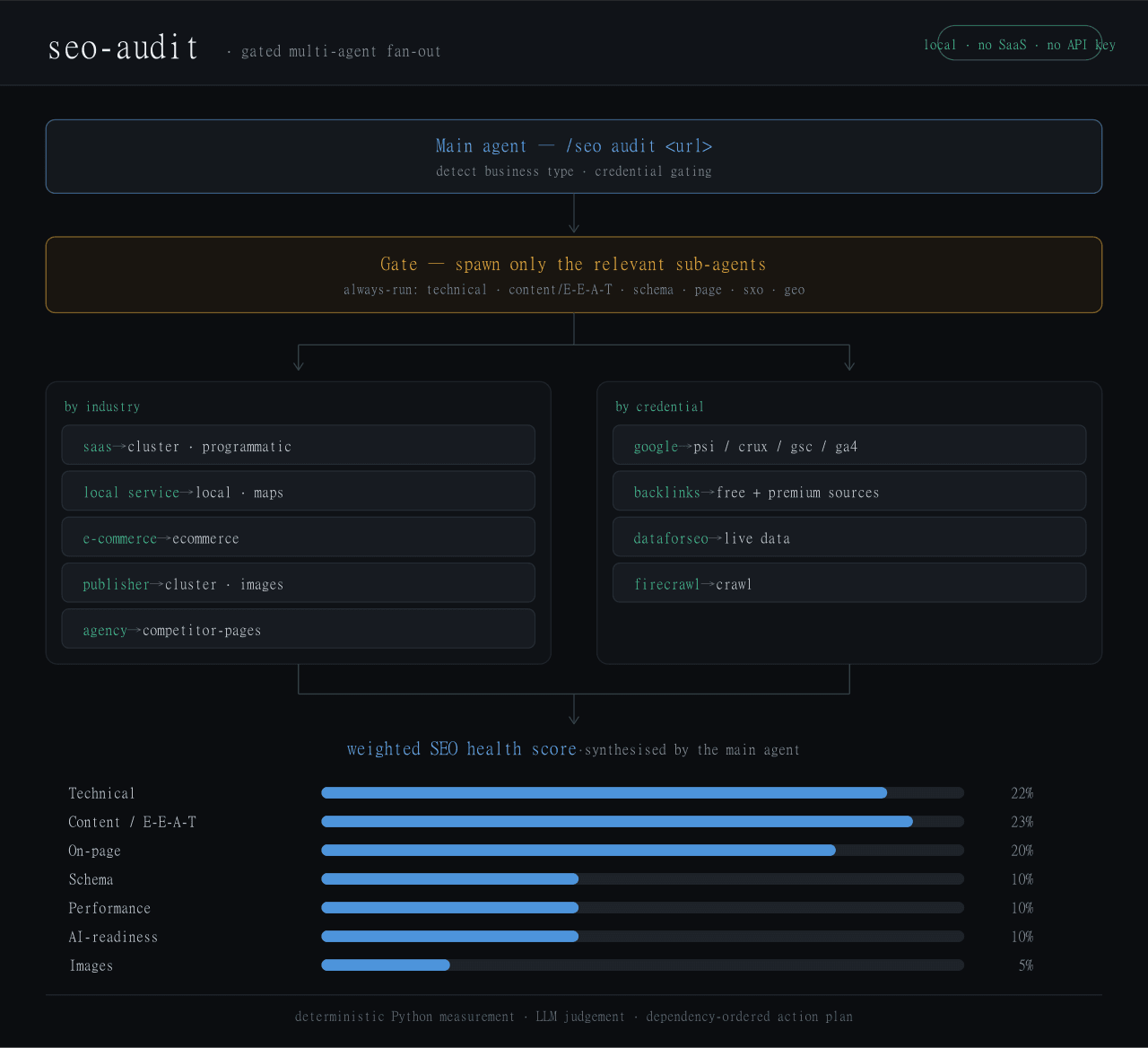 Haniubub/seo-toolkit
The SEO audit toolkit built for DeepSeek Harness (DSH) — runs locally, no Claude Code, no API key required. Self-contain…
Haniubub/seo-toolkit
The SEO audit toolkit built for DeepSeek Harness (DSH) — runs locally, no Claude Code, no API key required. Self-contain…
- Sur-Cai/macos-computer-use-kit AX-first computer use for AI agents on macOS with optional Jev (TypeSafe System One) semantic guards: calibrated target/…
- GitRuozhi/dsh-mini-win Windows-friendly minimal agent preset for DeepSeek Harness: sandboxed pwsh, native cmd.exe, and str_replace_editor.
- zoahdev/dsh-plugin-template Minimal, verified template for DeepSeek Harness plugins: bundle manifest, one tool, runtime peer guard, tests, and CI th…
- rrrrrredy/skill-security-guard Static security scanner for agent skills: A-F risk rating, safe zip scanning, CI-tested rules
-
 kenryu42/cc-safety-net
A pre-execution guard for AI coding agents. It blocks destructive Git and file system commands, plus common attempts to …
kenryu42/cc-safety-net
A pre-execution guard for AI coding agents. It blocks destructive Git and file system commands, plus common attempts to …