Sur-Cai/macos-computer-use-kit
AX-first computer use for AI agents on macOS with optional Jev (TypeSafe System One) semantic guards: calibrated target/input judgments before an irreversible action, decisions kept in code. Accessibility-tree targeting, window-scoped input, clipboard-safe paste, read-back verification. Ships a pip CLI, a pi package and a DeepSeek Harness plugin.
Project Overview项目介绍
macos-computer-use-kit is an accessibility-first macOS computer-use toolkit that ships a single stdio MCP server plus a CLI; instead of guessing pixel coordinates from screenshots, agents read the live macOS accessibility tree and operate on stable #ref identifiers with full role, label, and geometry data. Background clicks, key presses, scrolls, drags, and Unicode typing are posted to the target process so the user's cursor never leaves its current position, and every response explicitly separates action_sent from verified, with retry/reobserve/never guidance attached. Built-in safety features include a deny list covering password managers and system authentication prompts, Secure Event Input detection, lock/log-out/force-quit chord blocking, a dry-run mode, an app allow/deny policy, and an optional Jev semantic guard that adds a calibrated check before irreversible actions.
The kit integrates with a broad list of agent clients through one command each. Claude Code can install it via /plugin marketplace add Sur-Cai/macos-computer-use-kit followed by /plugin install macos-computer-use@macos-computer-use-kit, or as a plain MCP server with claude mcp add --scope user macos-computer-use -- uvx macos-computer-use-kit mcp; every other client is reached by running pipx install macos-computer-use-kit (or pip / uv tool install), then macos-cu setup claude-code, with the same command accepting claude-desktop, codex, cursor, gemini, opencode, and deepseek-harness, plus macos-cu setup skill to copy the agent skill into Claude, Codex and opencode. It targets macOS-focused automation engineers and agent authors who need verifiable, snapshot-differing UI control for browsers, Electron/Chromium apps, native GUIs, and custom-drawn canvases.
Runtime requirements are intentionally minimal: macOS 12 or later, Python 3.10 or later, and two system permissions — Accessibility (for tree reading, AX actions, and posted input) and Screen Recording (for screenshots and Apple Vision OCR) — granted to the host terminal or app, with macos-cu doctor pinpointing the missing one. Dependencies reduce to pyobjc and Pillow so uvx runs the binary-free codebase anywhere without notarization. Distribution covers the PyPI package macos-computer-use-kit, the npm pi-macos-computer-use skill for pi, the dsh-macos-computer-use DeepSeek Harness bundle under packages/dsh/, a Claude Code plugin with /macos-doctor, and a .claude-plugin/ marketplace manifest. Limitations: macOS only (AX, CGEvent, ScreenCaptureKit, Vision are Apple APIs), little or no AX data for games/canvases where annotate/ocr/coordinate clicks must be used, and a few apps that only accept typing while frontmost; license is MIT.
macos-computer-use-kit 是一个面向 macOS 的计算机使用工具包,对外暴露一个 stdio MCP 服务器与一个 CLI 代理,核心思路是让智能体读取 macOS 的可访问性树而不是猜测坐标。所有点击、按键、滚动和拖拽都以背景输入方式投递到目标进程,光标不会移动,同时每次操作都会返回 action_sent 与 verified 两个独立字段,便于调用方决定是 retry、reobserve 还是 never。
工具包通过 macos-cu setup 命令一键接入 Claude Code、Claude Desktop、Codex、Cursor、Gemini CLI、opencode、pi 与 DeepSeek Harness,同时为 Claude/Codex/opencode 复制 SKILL 文件,配套 /plugin marketplace add 安装路径。它面向需要在 macOS 上稳定执行浏览器、Electron、原生 GUI 与游戏客户端操作的研究与自动化工程师,特别看重截图差异比较、过期引用发现以及不可逆动作前的二次校验。
运行时仅依赖 pyobjc 和 Pillow,可在 macOS 12+、Python 3.10+ 环境通过 uvx、pipx 或 pip 直接运行;首次使用需授予宿主应用「辅助功能」与「屏幕录制」权限,运行 macos-cu doctor 可快速诊断。按 MIT 协议开源,限制是仅支持 macOS、密码管理器等被内置拒访列表拦截。
请帮我安装这个 DSH 插件。安装前先完成【兼容性检查 + 安全性检查】,检查通过再动手。

插件:macos-computer-use-kit(Sur-Cai/macos-computer-use-kit)
仓库:https://github.com/Sur-Cai/macos-computer-use-kit
本站详情页:https://www.yhbd.top/plugins/sur-cai-macos-computer-use-kit/
本站登记:类型 client · 归类 多平台兼容工具(非 DSH 原生) · 许可证 MIT · ⭐ 5 · 最近提交 2026-10-03 · 主语言 Python · 未检测到 DSH 插件清单

按下面顺序执行,每步先把结论告诉我,再进入下一步:

【1 兼容性检查】
① 我这边:DSH 版本、Node 版本、操作系统、当前 profile(web / desktop)。
② 读它的 README、package.json、插件 manifest,列出它要求的 DSH 版本 / Node 版本 / 操作系统 / 外部依赖 / 需要另外先装的运行时。
③ 逐条比对,结论只写「满足 / 不满足 / 未知」三种;不满足的给出可行替代方案。
④ 检查是否和我已装的插件冲突:命令名重复、skill / tool 重名、端口占用、重复注册的 MCP server。

【2 安全性检查】
① 仓库可信度:和上面「本站登记」是否一致;star / fork 数、创建时间、最近提交,是否归档或长期停更。
② 安装脚本:逐行看 package.json 的 preinstall / install / postinstall,以及 install.sh、setup.ps1 之类脚本。出现 curl|bash、下载后直接执行、混淆代码、访问与插件功能无关的域名,立刻停下来告诉我,不要继续装。
③ 依赖:列出新增依赖,标出无人维护、或与知名包拼写近似的可疑包(typosquatting)。
④ 权限与副作用:它会读写哪些目录、访问哪些域名、需要哪些 DSH 权限(filesystem / network / shell / clipboard 等),以及怎么卸载和回滚。
⑤ 如果它要求 sudo / 管理员权限,或权限明显超出功能所需,先停下来问我。

【3 安装】
上面两步没有「不满足」和「高危项」时才执行;用官方推荐方式安装,不要自行提权。

【4 汇报】
用表格输出:检查项 / 结论 / 依据 / 是否需要我决策。拿不准的一律写「未知」并说明要我怎么确认——不要猜,也不要替我决定。
Send this message to DSH in your current session: it verifies compatibility and security first (answering met / not met / unknown item by item) and only installs once everything checks out — it will stop and ask you if it finds a high-risk item. The box scrolls; the copy is the full prompt. CLI install commands may not be accurate across systems, so DSH is the safer route.把上面这条消息直接发给当前会话里的 DSH:它会先核对兼容性与安全性(逐条给「满足 / 不满足 / 未知」),确认没问题再安装,有高危项会停下来问你。框内可滚动,复制到的是完整提示词;安装命令不一定准确,发给 DSH 更稳。
- Only 5 stars - very few users, little community feedback星标只有 5,几乎没人在用,遇到问题缺少社区反馈
- No DSH plugin manifest detected - it may only carry the dsh-plugin topic, so the install method must be confirmed on the spot未检测到 DSH 插件清单:可能只是打了 dsh-plugin 话题,安装方式要现场确认
- Not DSH-native: a multi-platform tool that may require Node / Electron or another runtime first非 DSH 原生,是多平台兼容工具:可能要先装 Node / Electron 等运行时
- Desktop client: installation downloads an executable - verify the publisher and checksums桌面客户端:安装会下载可执行文件,请核对发布者与校验和
DSH walks through these 9 checksDSH 会逐条核对这 9 项
Compatibility兼容性
- DSH, Node, OS and profile requirementsDSH 版本 / Node 版本 / 操作系统 / profile 是否满足要求
- External dependencies and runtimes (Electron / Python / Docker, ...)外部依赖与运行时(Electron / Python / Docker 等)是否齐备
- Conflicts with installed plugins: command names, skill / tool names, ports, duplicate MCP registration与已装插件是否冲突:命令名、skill / tool 重名、端口占用、重复 MCP 注册
Security安全性
- Repo matches the facts registered here; archived or abandoned?仓库是否与页面登记一致,是否归档或长期停更
- Safety of preinstall / install / postinstall and install.sh / setup.ps1preinstall / install / postinstall 与 install.sh、setup.ps1 是否安全
- curl|bash, download-then-execute, obfuscation, unrelated domains → stop immediatelycurl|bash、下载即执行、混淆代码、无关域名 → 立刻停止
- Typosquatting or unmaintained packages among the new dependencies新增依赖里有没有 typosquatting 或无人维护的包
- Requested permissions vs. what the feature actually needs申请了哪些权限、是否超出功能所需(filesystem / network / shell / clipboard)
- Any sudo / admin requirement, plus uninstall and rollback是否要求 sudo / 管理员权限,以及卸载与回滚方式
Anything uncertain must be marked unknown with a note on how to confirm it. This site's signal screen is a static snapshot, not a security audit.拿不准的必须标「未知」并说明要我怎么确认。本站的信号筛查是静态快照,不能替代安全审计。
Or use CLI install (for developers)或使用命令行安装(适合开发者)
CLI Install命令行安装
dsh plugin --profile web add github:Sur-Cai/macos-computer-use-kit把 Sur-Cai/macos-computer-use-kit 加入你的 DSH 配置(web profile)即可启用。
READMEREADME
macos-computer-use-kit
AX-first macOS computer use for AI agents: an MCP server and a CLI. Agents read the accessibility tree instead of guessing coordinates from screenshots. Input is posted to the target app in the background, so your cursor never moves, and every action is verified.
English · 简体中文




screenshot → guess coordinates → click → hope      ✗  slow, fragile, moves your mouse
snapshot   → act on #ref       → verify the diff   ✓  what this kit does
- One command per client. Works with Claude Code, Claude Desktop, Codex, Cursor, Gemini CLI, opencode, pi and DeepSeek Harness. It is a stdio MCP server with no runtime dependencies beyond pyobjc and Pillow.
- Accessibility first. Each element comes back with a stable
#ref, its role, its label and exact screen geometry. Re-observing returns only the diff. Electron and Chromium apps get their full tree turned on automatically. - Background input. Clicks, keys, scrolls, drags and Unicode typing are posted to the target process, so the user can keep working. CJK, emoji and accents arrive intact, and the clipboard is left alone.
- Verified, never optimistic. Every result separates
action_sentfromverified. Failures say whether it is safe toretry, whether toreobserve, or whether toneverretry. - Safe by default. There is a built-in deny list for password managers and system auth. The kit refuses to type into a password field that holds Secure Event Input, redacts secure fields, and blocks lock, log-out and force-quit chords. It also offers a dry-run mode, a size-only audit log and app allow/deny lists.
- Vision only when needed. Set-of-mark screenshots draw numbered marks linked to refs, and on-device Apple Vision OCR returns screen coordinates. Both are fallbacks for canvas, game and custom-drawn UI.
Showing the opening section of the README — the full document lives in the repository以上为 README 开头摘要,完整文档在仓库内 · View the full README on GitHub →在 GitHub 查看完整 README →
Related相关推荐
-
 lire1131/dsh-undo-savepoint
DSH crash-rescue plugin: undo config & plugin-code changes, secret-safe snapshots, one-click SAFE MODE, plus offline CLI…
lire1131/dsh-undo-savepoint
DSH crash-rescue plugin: undo config & plugin-code changes, secret-safe snapshots, one-click SAFE MODE, plus offline CLI…
-
 huaweicloud/huaweicloud-devkit
Official Huawei Cloud plugin for AI agents — skills, MCP tools, safety guardrails, and cloud sandbox to help AI agents …
huaweicloud/huaweicloud-devkit
Official Huawei Cloud plugin for AI agents — skills, MCP tools, safety guardrails, and cloud sandbox to help AI agents …
-
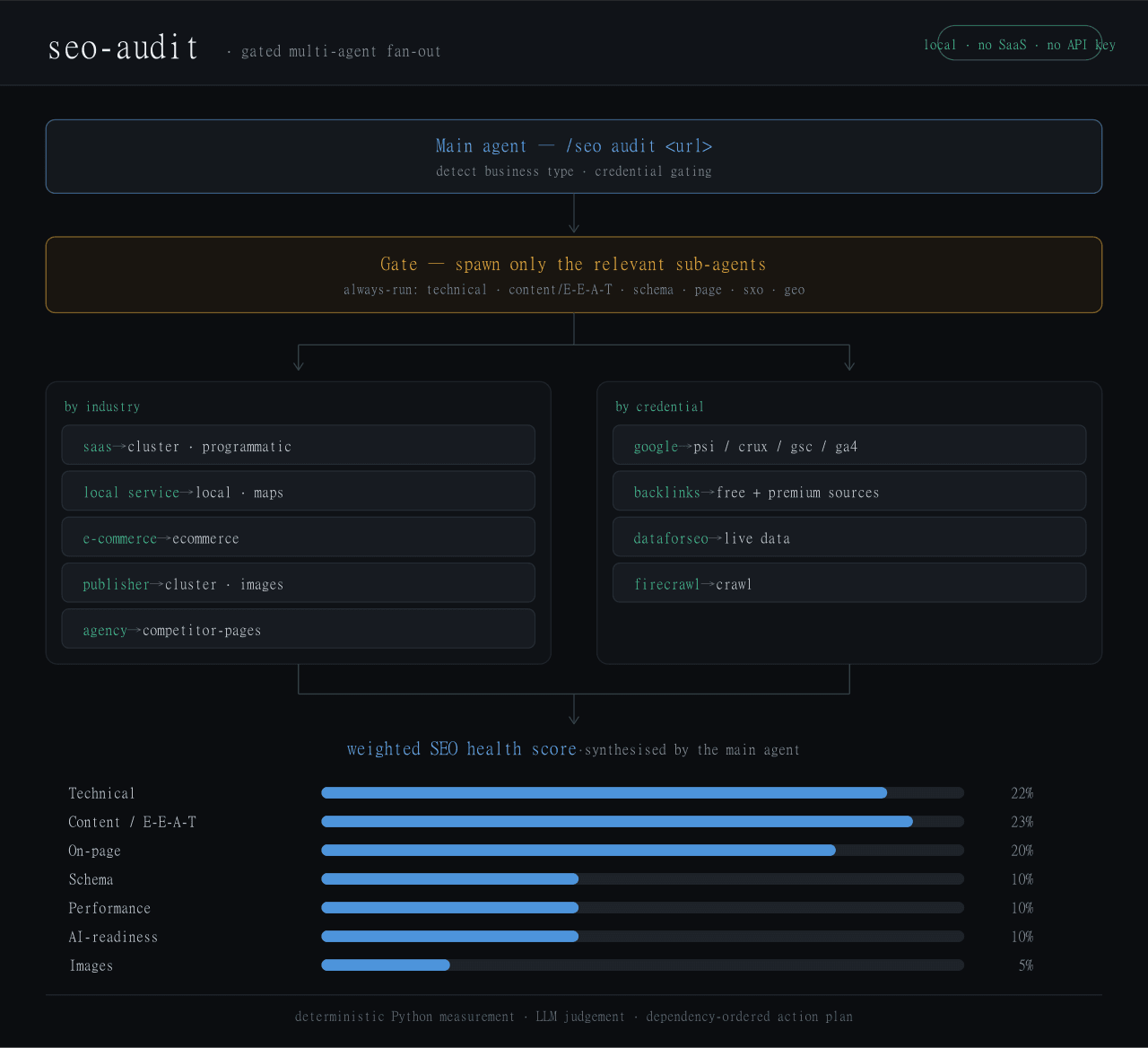 Haniubub/seo-toolkit
The SEO audit toolkit built for DeepSeek Harness (DSH) — runs locally, no Claude Code, no API key required. Self-contain…
Haniubub/seo-toolkit
The SEO audit toolkit built for DeepSeek Harness (DSH) — runs locally, no Claude Code, no API key required. Self-contain…
- GitRuozhi/dsh-mini-win Windows-friendly minimal agent preset for DeepSeek Harness: sandboxed pwsh, native cmd.exe, and str_replace_editor.
- zoahdev/dsh-plugin-template Minimal, verified template for DeepSeek Harness plugins: bundle manifest, one tool, runtime peer guard, tests, and CI th…
- Jyleaves/dsh-win-bash-fix Windows Git Bash fix for DeepSeek Harness (dsh): MSYS sandbox conflict + terminal inspector, with the minimal-win collec…
- rrrrrredy/skill-security-guard Static security scanner for agent skills: A-F risk rating, safe zip scanning, CI-tested rules
-
 kenryu42/cc-safety-net
A pre-execution guard for AI coding agents. It blocks destructive Git and file system commands, plus common attempts to …
kenryu42/cc-safety-net
A pre-execution guard for AI coding agents. It blocks destructive Git and file system commands, plus common attempts to …